Skip to content

A Bucky Ecosystem resource for FiveM

BuckyHUD

Every instrument, your way.

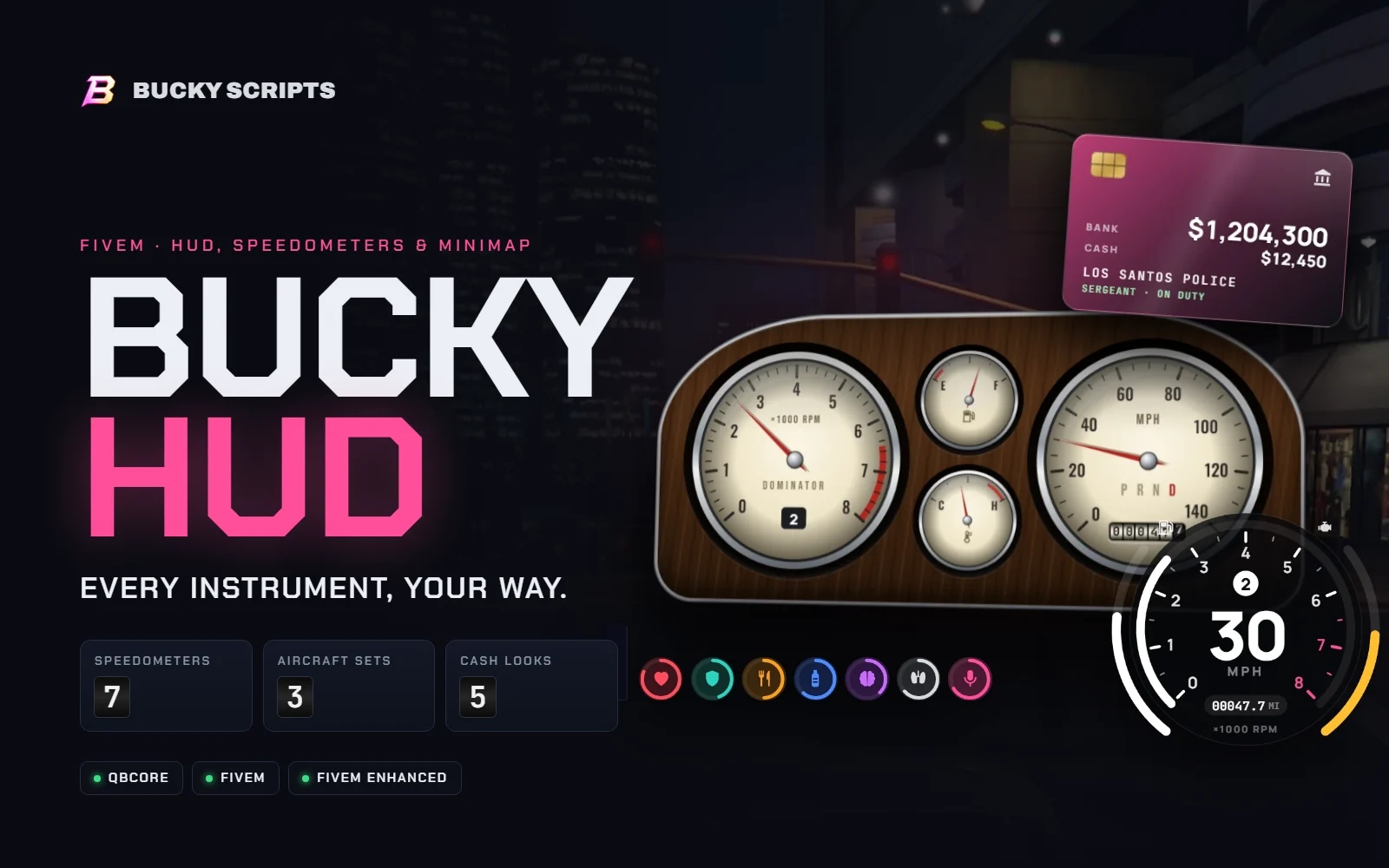
A complete heads-up display for QBCore roleplay servers. Seven speedometers that match the car you're in, GTA's own radar with rounded corners, cash with your job and duty, and a layout every player can rearrange and save.

FiveM ready FiveM Enhanced ready QBCore Replaces qb-hud
Speedometers
07
Aircraft sets
03
Cash looks
05
Status styles
04
Accent colours
08
Vehicle kinds
08

Bucky HUD

  • QBCore
  • FiveM
  • FiveM Enhanced
  • Cfx.re Keymaster delivery

Secure checkout by Tebex Instant delivery

Dashboards

Seven speedometers. One for every car.

Each style is drawn live in the interface, needles and all. Players pick one, or leave it on Auto and let the car decide.

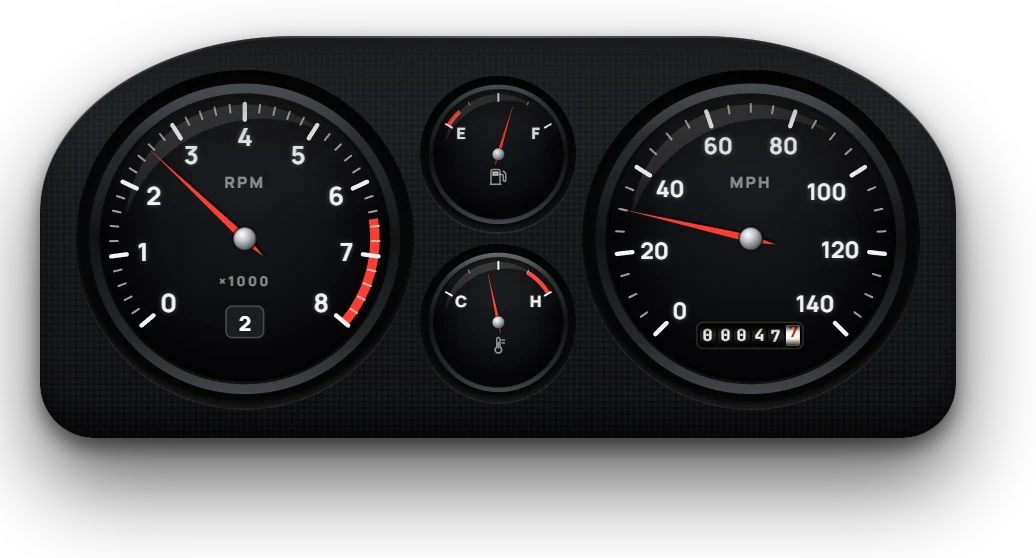
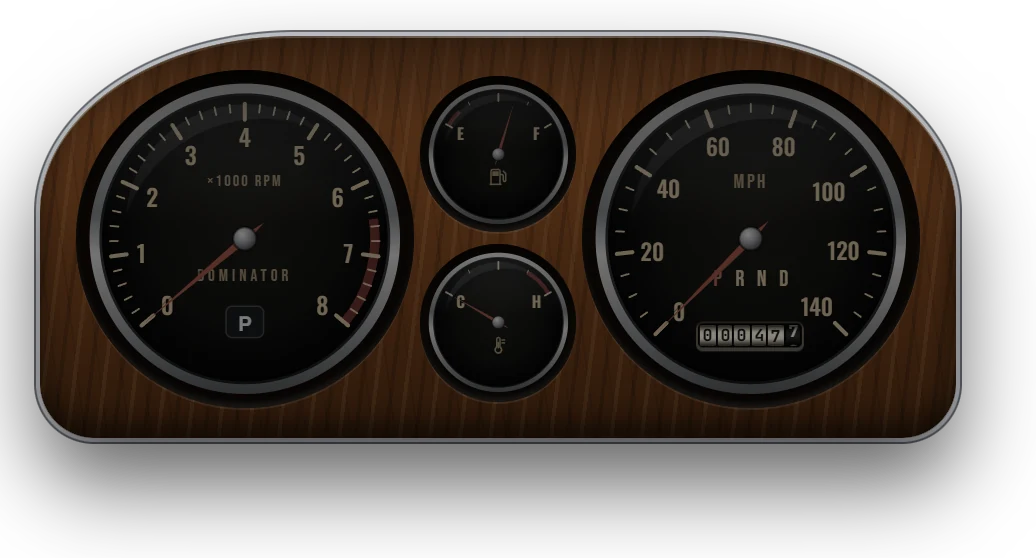
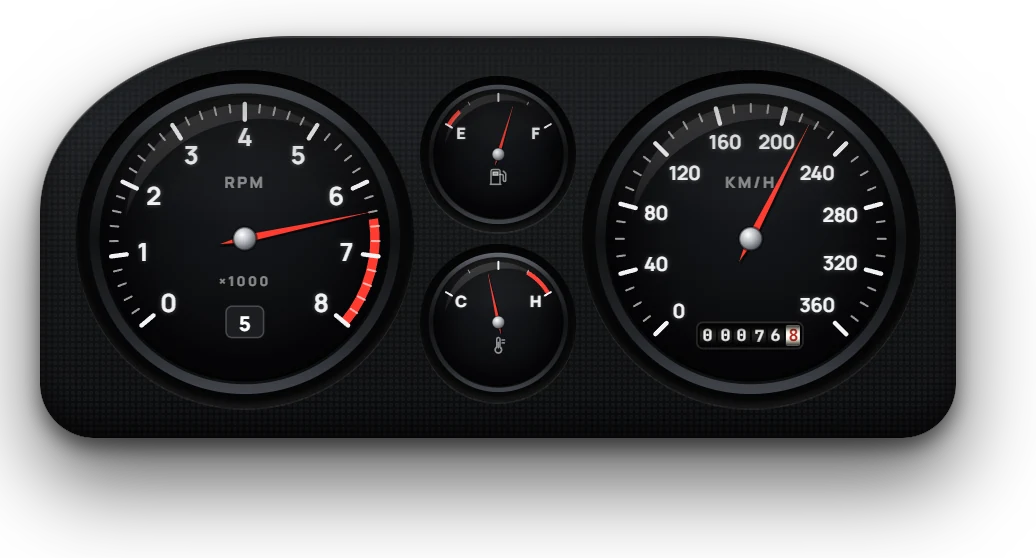
Analogue cluster: black-faced tachometer, fuel and temperature gauges and speedometer in a moulded binnacle
AnalogueBlack dials with red needles in a moulded binnacle, with a rolling drum odometer.
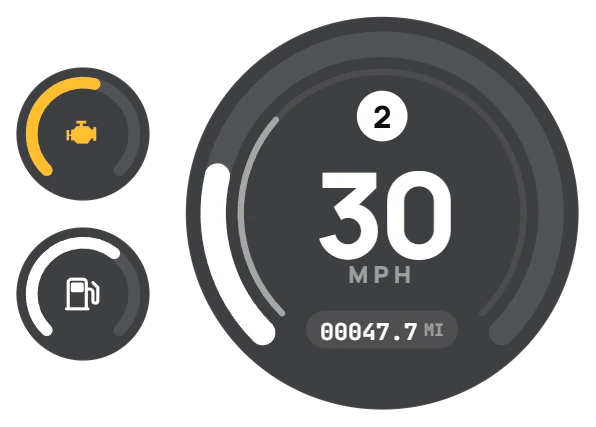
Pro speedometer: disc with rev ring, gear badge and speed
ProRev ring, gear badge and speed, with fuel and engine arcs outside.
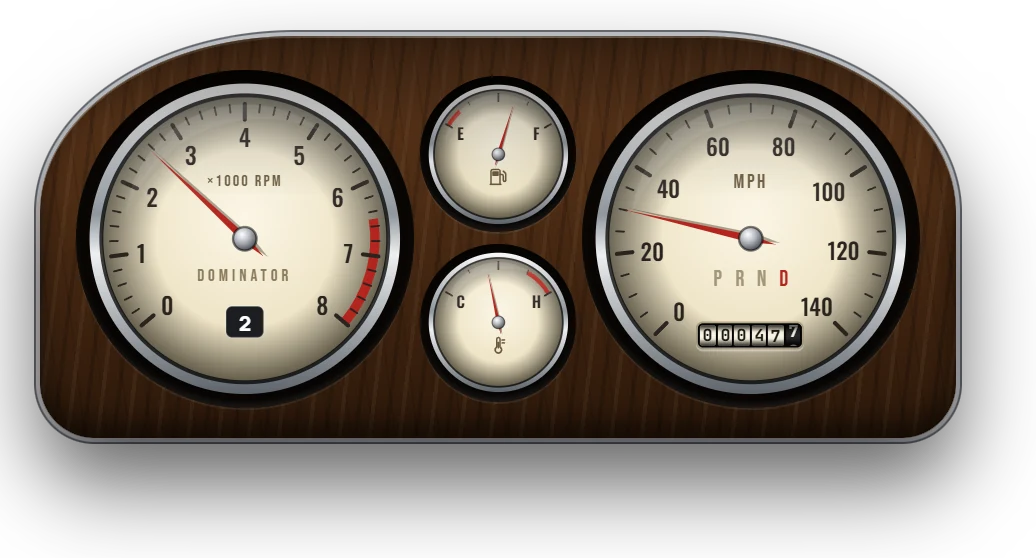
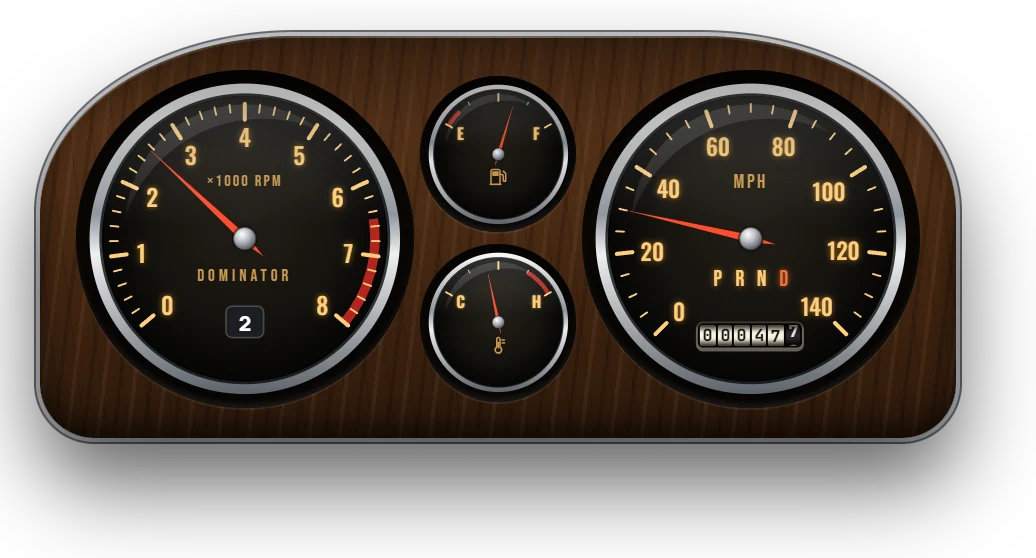
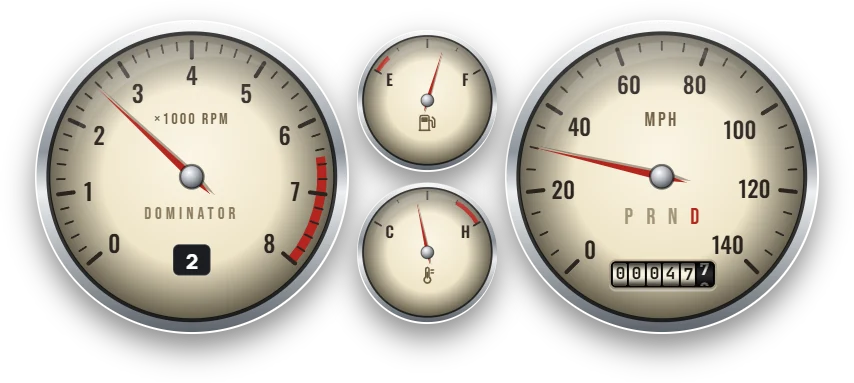
Classic cluster: chrome bezels and cream faces in a wood-grain case
ClassicChrome and cream in a 70s wood-grain case, with PRND and the car's name on the tach.
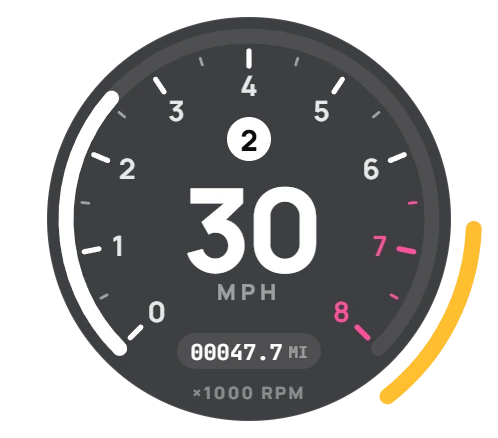
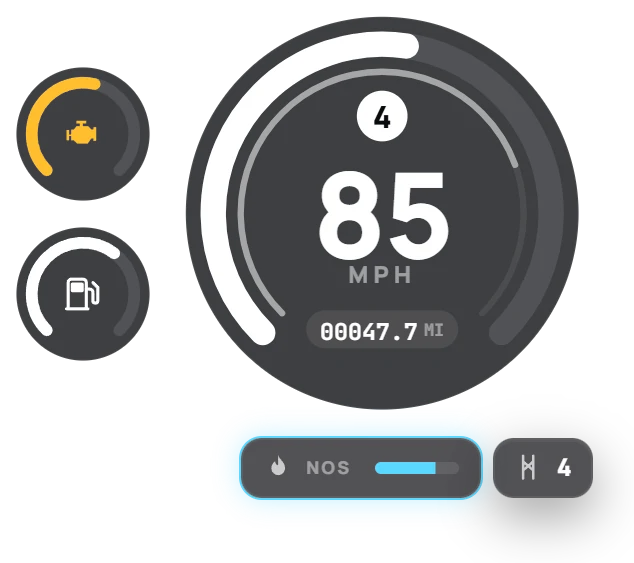
Modern speedometer: speed ring with engine and fuel rings
ModernA speed ring with a thin rev ring, and round engine and fuel gauges beside it.
Bold speedometer: big digits with unlit leading zeros
BoldBig digits with unlit leading zeros and a rev bar with its redline zone.
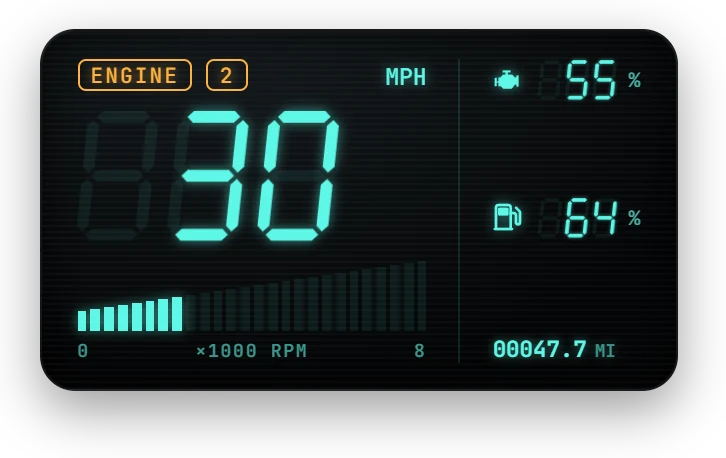
Digital speedometer: glowing 7-segment display with rev bar graph
DigitalAn 80s vacuum-fluorescent display: 7-segment digits and a rev bar graph.
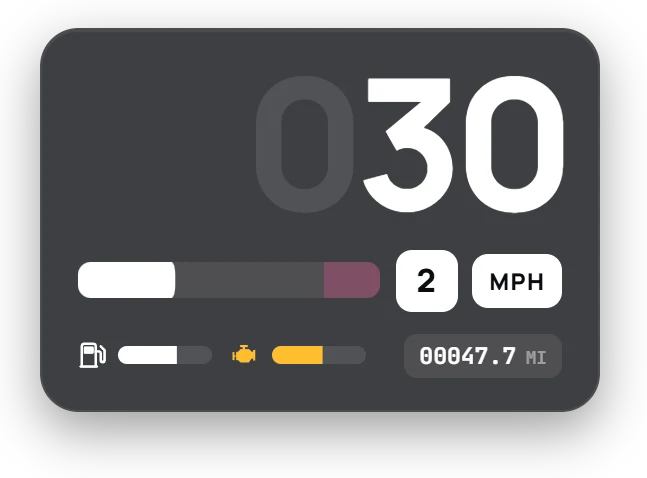
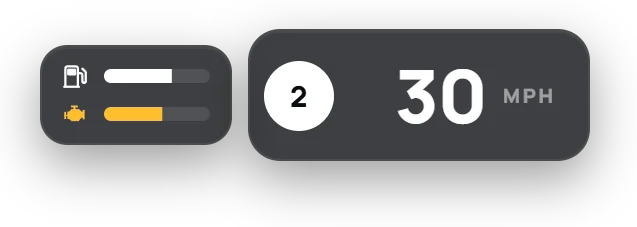
Minimal speedometer: a single pill with gear and speed
MinimalOne pill with gear and speed, and slim fuel and engine bars.

Auto matches the car

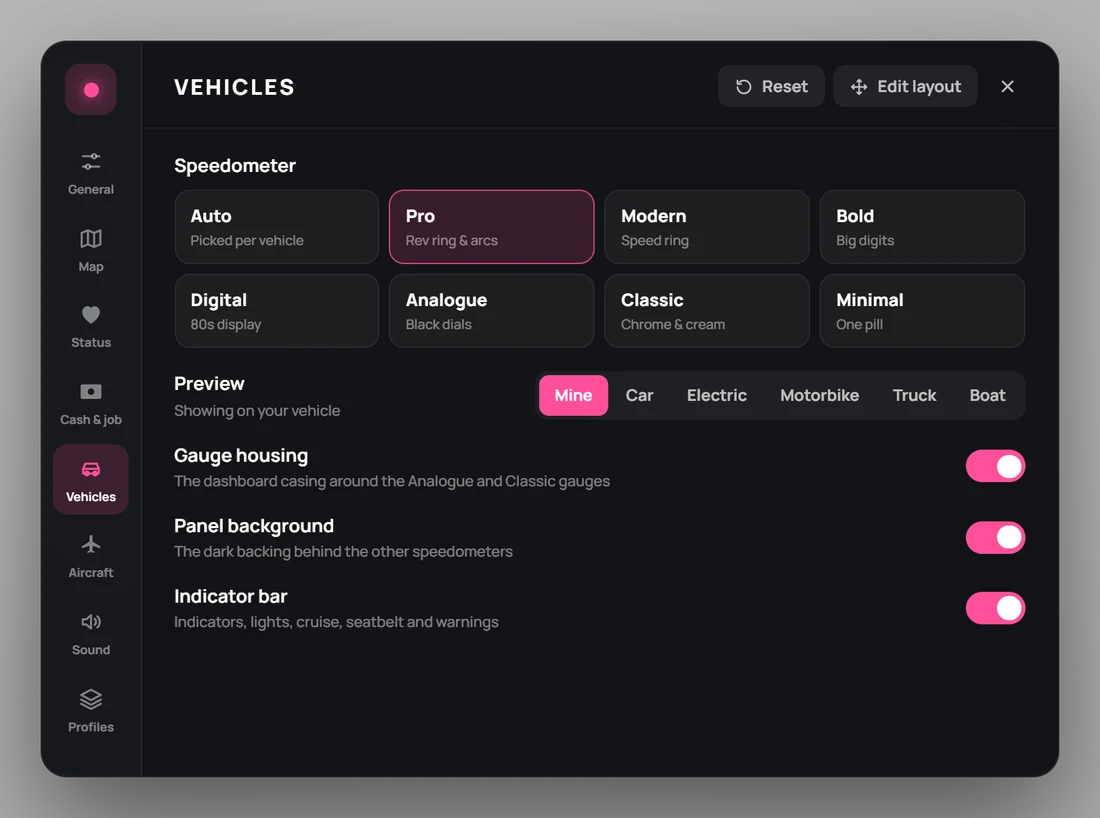
On Auto, the style follows the vehicle class, and server owners can change any line in Config.AutoStyle or set single models in Config.ModelStyle.

Vehicle classStyle
Compacts, sedans, SUVs, serviceModern
Coupes, sports cars, electric carsPro
Muscle, sports classicsClassic
Super cars, motorbikes, open wheelBold
Off-road, industrial, utility, military, commercial, trainsAnalogue
VansMinimal

Look closer

Built like the real thing

Turn the key off and the backlight goes out. Turn it on and the needles sweep. The dashboard changes with what you're driving.

Classic cluster at night with the engine off: dark, unlit faces
Engine offAt night the Classic faces sit dark and unlit.
Classic cluster at night with the engine running: amber backlit faces
Engine onThe amber backlight comes up and the needles sweep to full and back.
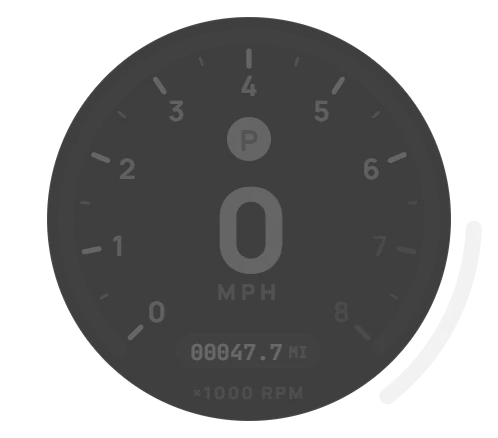
Pro speedometer with the engine off, markings faded to grey
Every style goes darkMarkings fade to unlit grey, displays drop to faint ghosts and warning lamps go out.
Analogue cluster reading kilometres per hour up to 360
Scales that fit80 to 260 mph or 120 to 400 km/h, picked from the car's top speed. Numbers keep an even gap from the ticks at every scale.
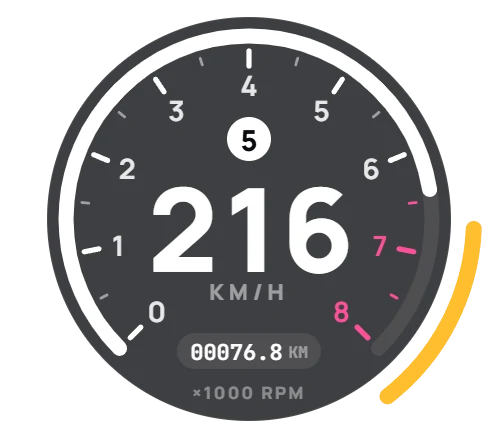
Pro speedometer at 216 km/h in fifth gear
Room to breatheThree-digit speeds, the gear badge and the odometer each keep their own space.
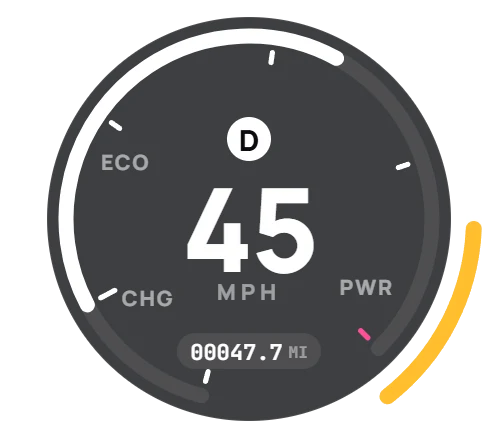
Pro dashboard for an electric car with CHG, ECO and PWR zones
Electric carsBattery instead of fuel, and a power ring with CHG, ECO and PWR zones that shows regen while braking.
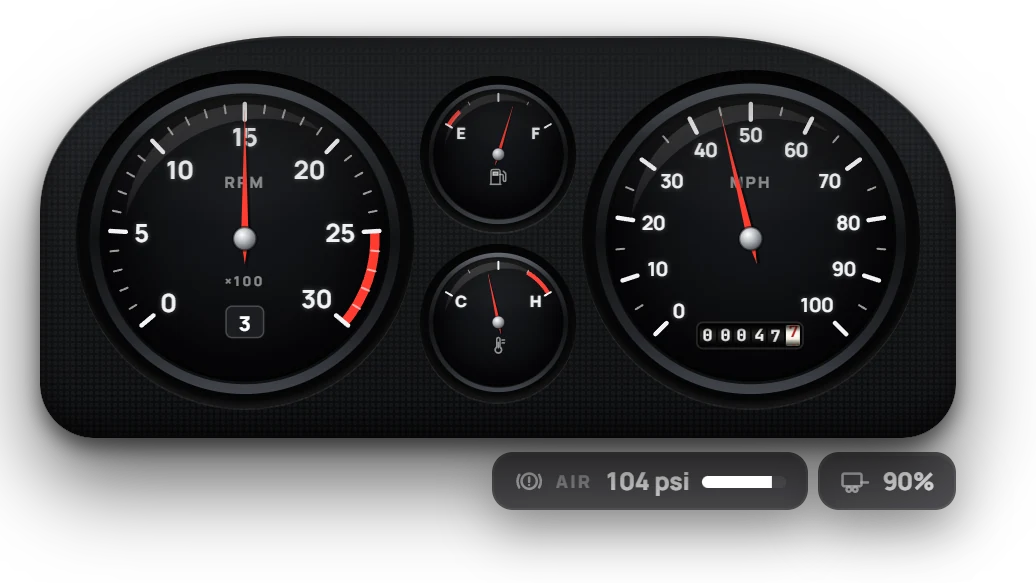
Analogue truck cluster with air brake pressure and trailer health
TrucksA ×100 RPM tach, air brake pressure that drops while braking and refills with the engine, and trailer health.
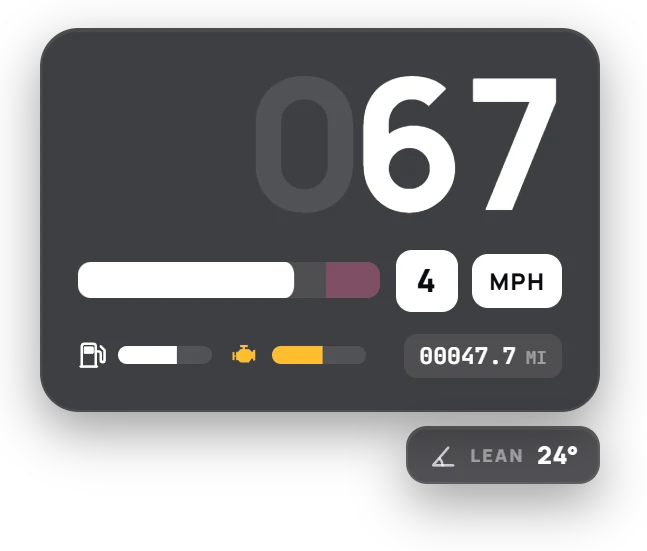
Bold motorbike dashboard with a lean angle readout
MotorbikesA 14,000 RPM scale and the lean angle, live through every corner.
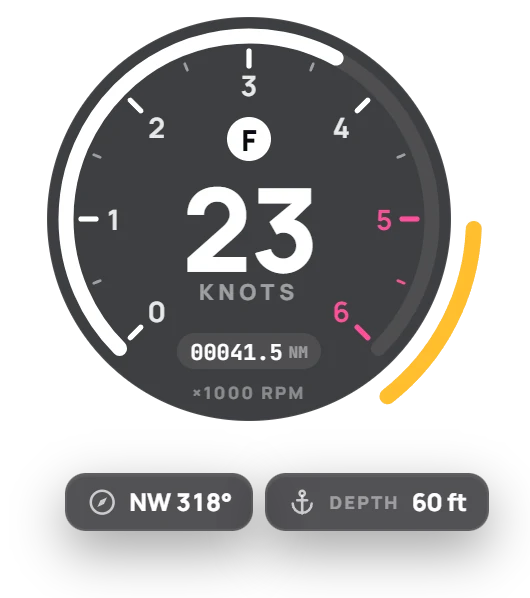
Pro boat dashboard in knots with heading and water depth
BoatsKnots, compass heading and the water depth under the hull.
Modern dashboard with a glowing nitrous chip and harness uses
Nitrous and harnessThe nitrous chip glows while it's firing; harness uses show when you're strapped in.
Classic gauges without the wood case
Housing optionalPlayers can drop the case around Analogue and Classic, and the dark panel behind the others.

Aircraft

Instruments for the sky

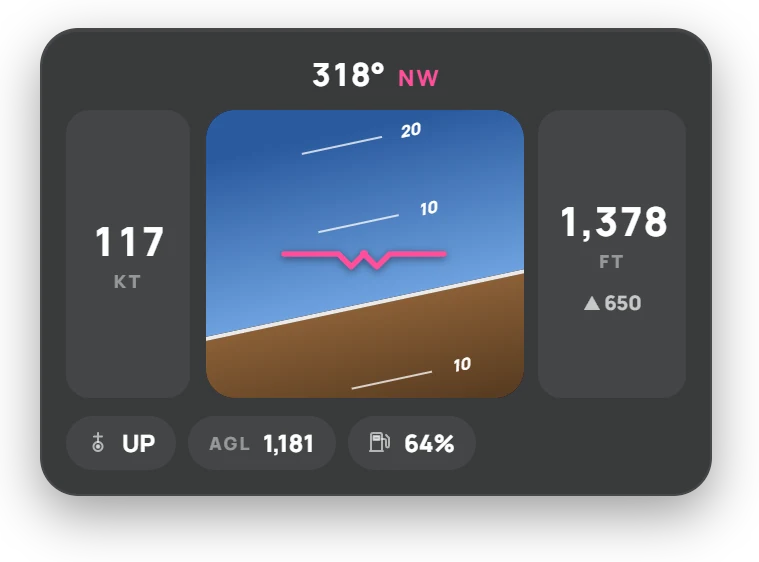
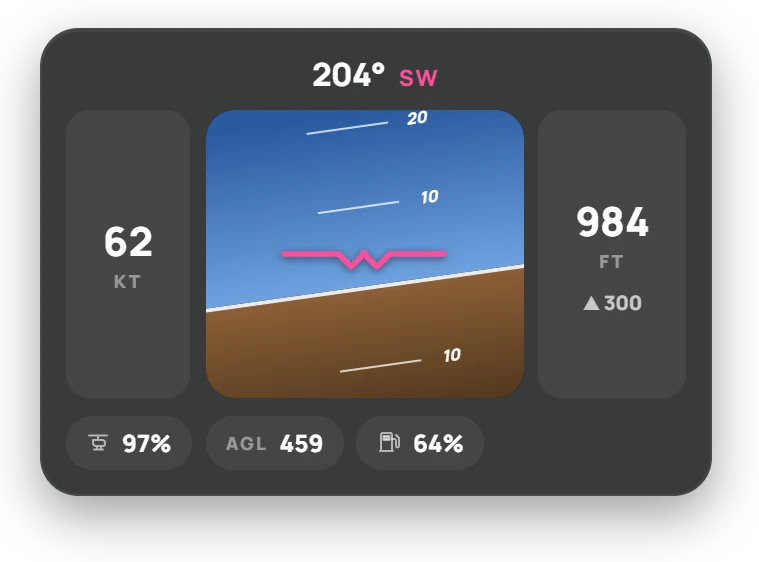
Planes and helicopters get their own instrument sets, with warning lights for the engine, lights, fuel, landing gear or rotor, and stalls.

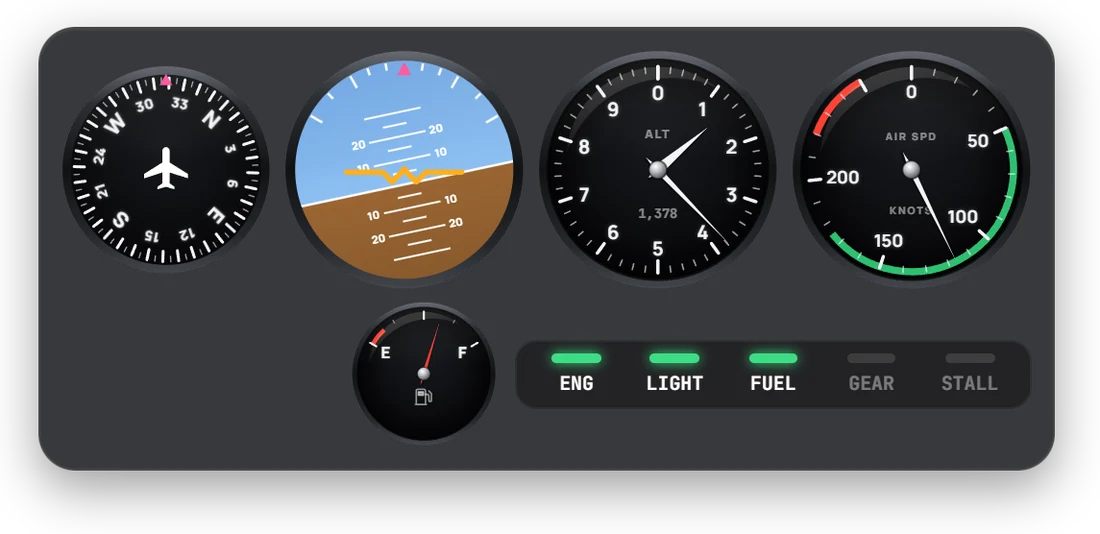
Analogue flight instruments: heading, attitude, altimeter, airspeed and fuel with warning lights
AnalogueHeading, attitude, a two-needle altimeter, airspeed and fuel, with ENG, LIGHT, FUEL, GEAR and STALL lights.
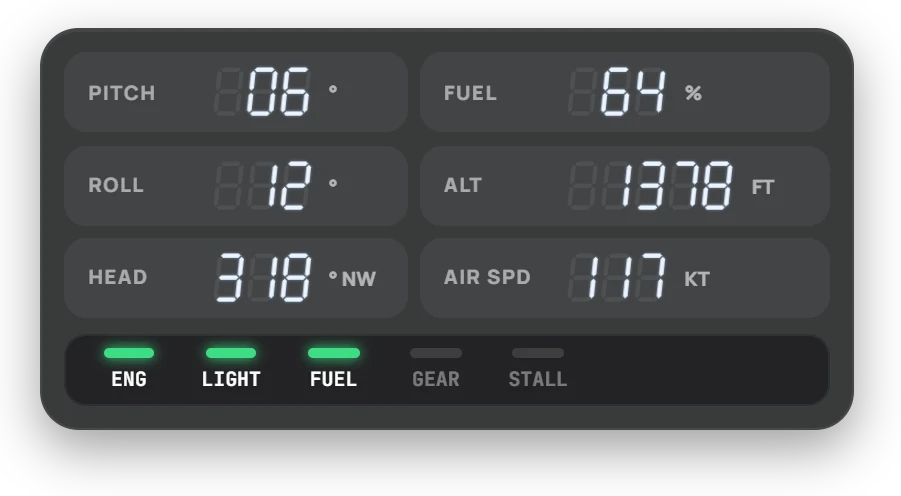
Digital flight readouts for pitch, roll, heading, fuel, altitude and airspeed
DigitalPitch, roll, heading, fuel, altitude and airspeed as glowing readouts.
Flight display with artificial horizon and speed and altitude tapes
DisplayA flight display with the horizon, speed and altitude tapes, and vertical speed.
Helicopter flight display showing rotor health
HelicoptersRotor health in place of landing gear. STALL and PULL UP flash when needed.

Minimap

GTA's radar, refined

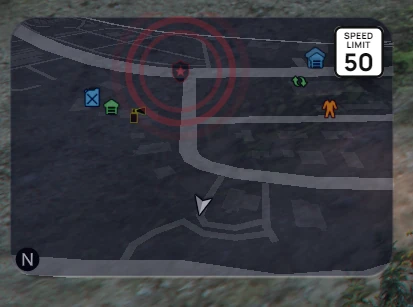
Bucky HUD keeps the game's own radar, so blips, the GPS route, interiors and fog of war work as usual. It changes how the radar looks and where it sits.

  • Rounded or classic corners with a crisp edge, drawn at runtime. Nothing is streamed.
  • Move and resize it in the layout editor; the radar follows the frame live.
  • No health or armour bars under the radar, and no empty strip where they were.
  • Blips stay inside. Off-map blips that the game pins to the edge sit inside the frame.
  • Alert rings stay off the radar by default and show on the pause map instead.
  • Speed limit sign, US or EU, that flashes when you speed; plus the waypoint distance and a day/night tint.
  • Street card with street, cross street, area and heading. When the map hides, the status icons and street card glide into its place.
In-game capture In-game capture of the Bucky HUD minimap with rounded corners, blips inside the frame and a speed limit sign
Rounded corners, blips inside the frame and a US speed limit sign, on GTA V Enhanced. Alert rings were set to show on the radar for this capture.

Status

Your needs, four ways

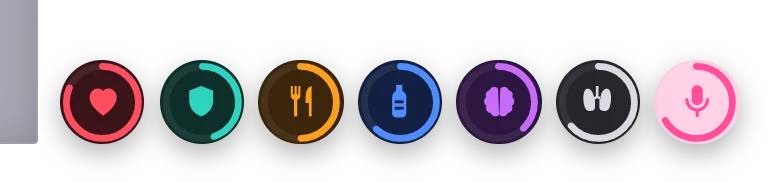
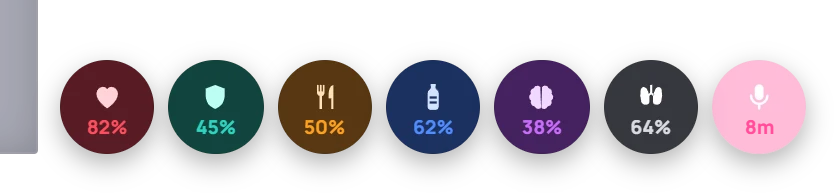
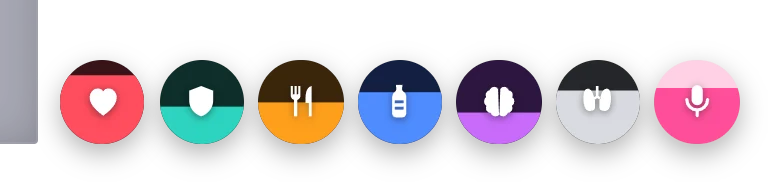
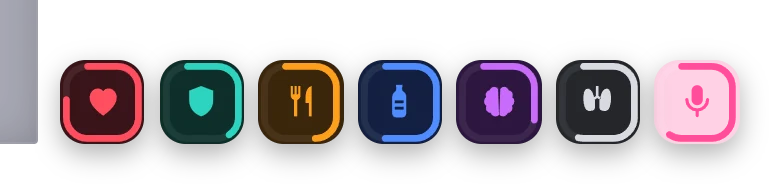
Health, armour, hunger, thirst, stress, stamina and voice. Each icon can show always, only when it needs attention, or never. Stamina turns into oxygen underwater, and voice lights up while you talk and turns blue on the radio.

RingA progress circle
Status icons as progress rings
PercentWith numbers
Status icons with percentages
FillThe tile fills up
Status icons that fill up
BarsTwo rows of bars
Status as two rows of icon bars
SquareAny style, rounded square
Status rings in rounded squares

Cash & job

Your money, your job, five looks

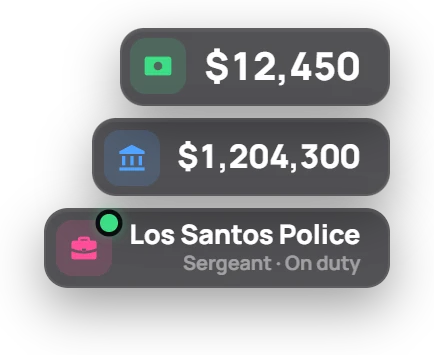
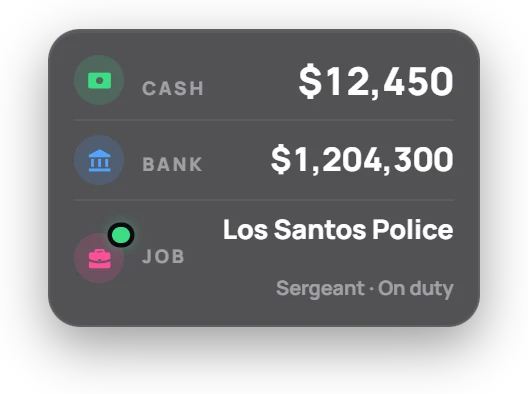
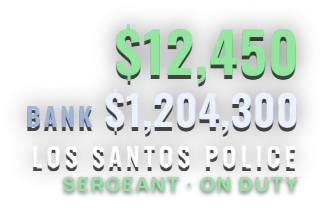
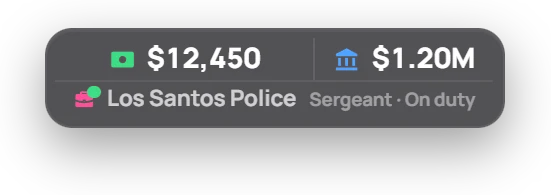
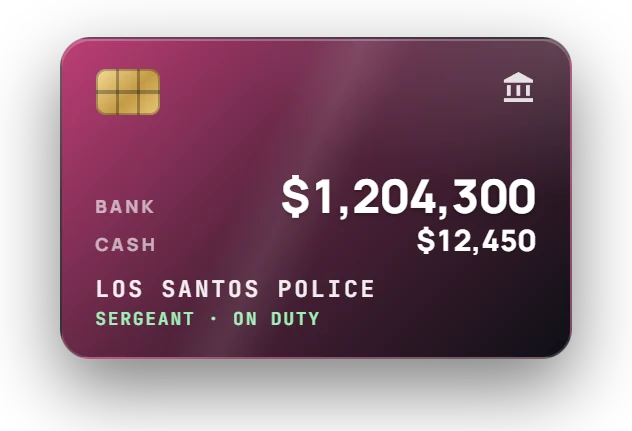
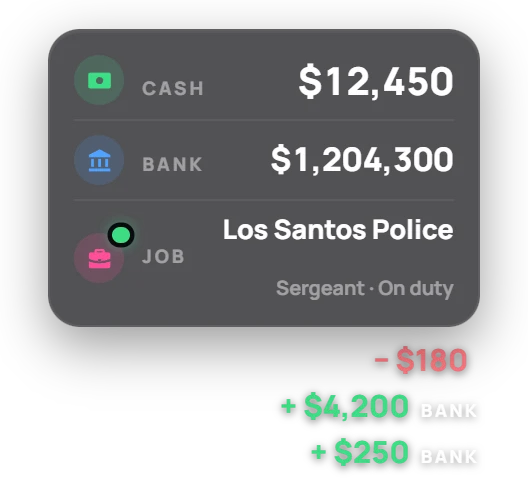
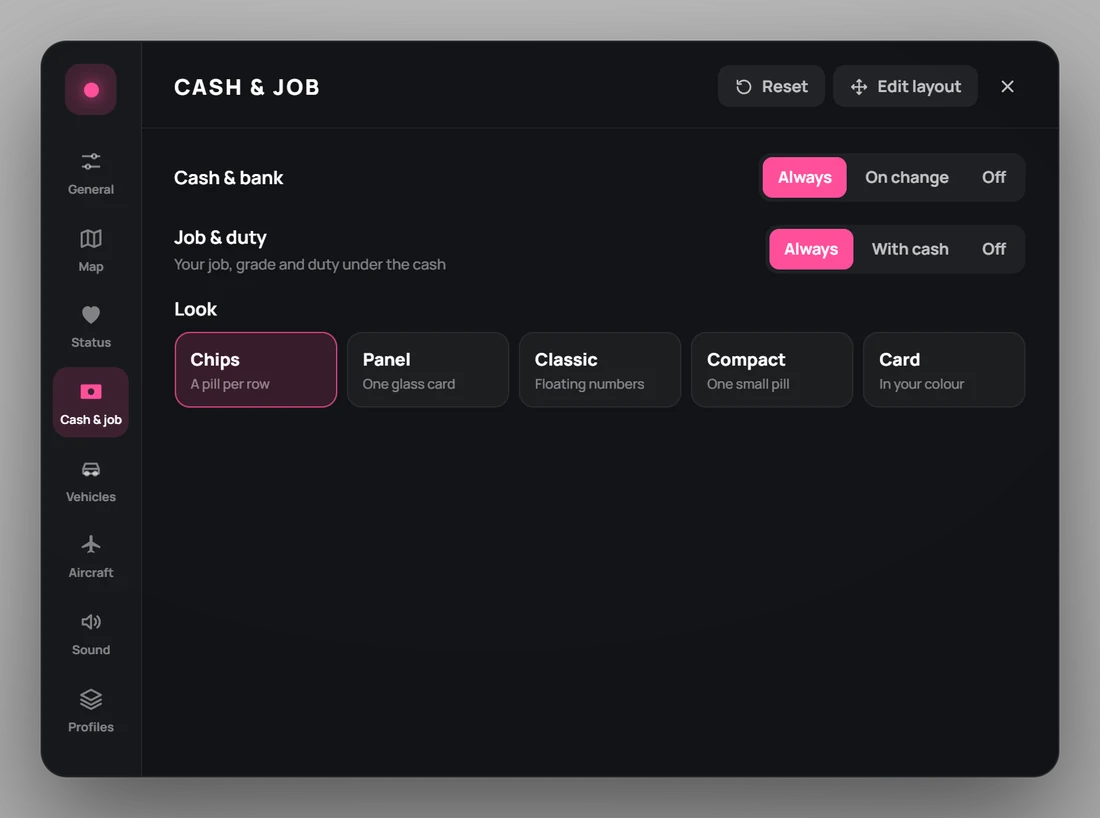
Cash and bank show always, for a few seconds after they change, or never, with every change popping up as a green or red line. Under them: your job, your grade and whether you're on duty, updated the moment it changes.

Chips look: a pill for cash, bank and job
ChipsA pill per row.
Panel look: one glass card with labelled rows
PanelOne glass card.
Classic look: floating green cash and white bank numbers
ClassicFloating numbers.
Compact look: one small pill with the bank shortened
CompactOne small pill.
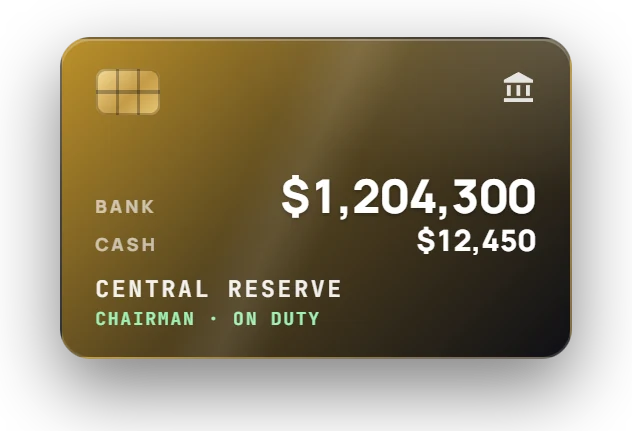
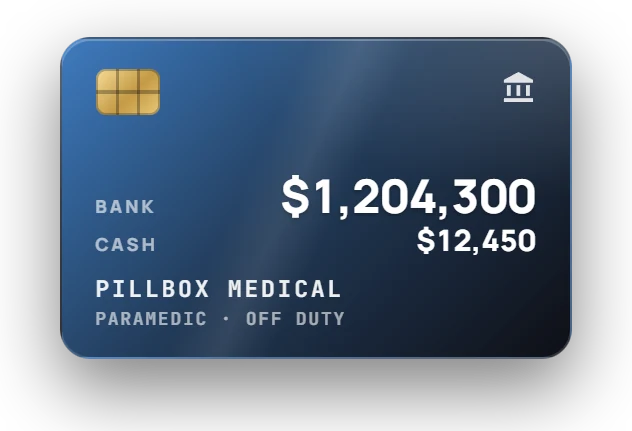
Card look: a bank card in the accent colour
CardIn your colour.
Gold bank card for the Central Reserve chairman
The card takes your accentGold for the Central Reserve's chairman.
Blue bank card for an off-duty paramedic
Duty at a glanceA paramedic off duty: the card holder line says so.
Panel look with money change lines under it
Every change showsPayroll in, fuel out, labelled by account.

Prompts & notifications

One voice for every script

With a small qb-core patch, every QBCore script's prompts and notifications take the HUD's look. Without it, they keep qb-core's own.

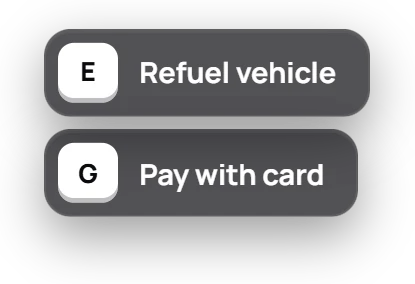
  • Key caps that understand qb-core's formats: [E] - Open garage, Press [E] to open, several lines at once.
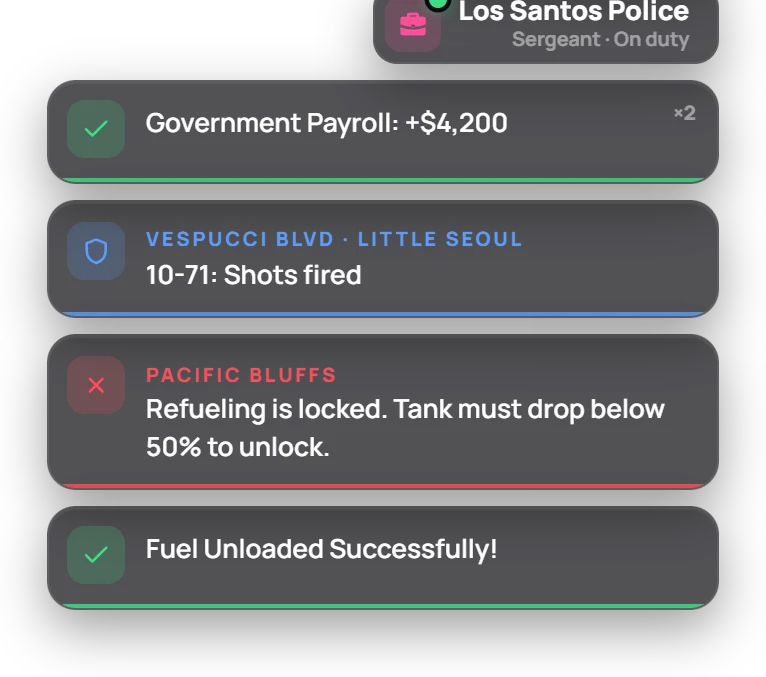
  • Notifications with a colour and icon per type, a caption and a timer bar. Repeats stack as ×2, ×3.
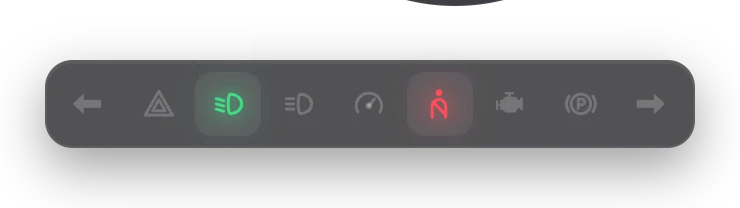
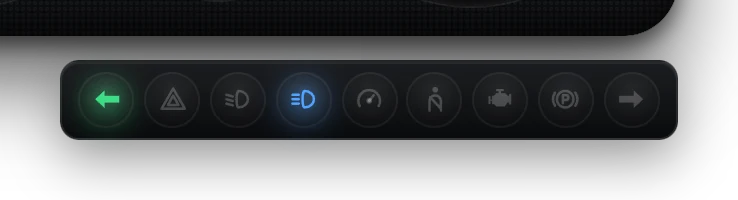
  • Indicator bar with indicators, hazards, beams, cruise, seatbelt, check engine and handbrake. With Analogue and Classic it becomes jewel lamps.
  • Sounds: an indicator relay tick and a seatbelt chime, made in the browser. No audio files.
Indicator bar with the left indicator and seatbelt warning lit
Indicator bar as jewel lamps
Notifications: government payroll stacked twice, a police call, and Bucky Fuel messages
NotificationsPayroll stacked ×2, a police call, and two Bucky Fuel messages.
Prompt with E to refuel and G to pay by card
PromptsKey caps on any side of the screen.
Street card showing East Galileo Ave in Vinewood Hills
Street cardStreet, area and heading.

Layout

Put it anywhere. It stays on screen.

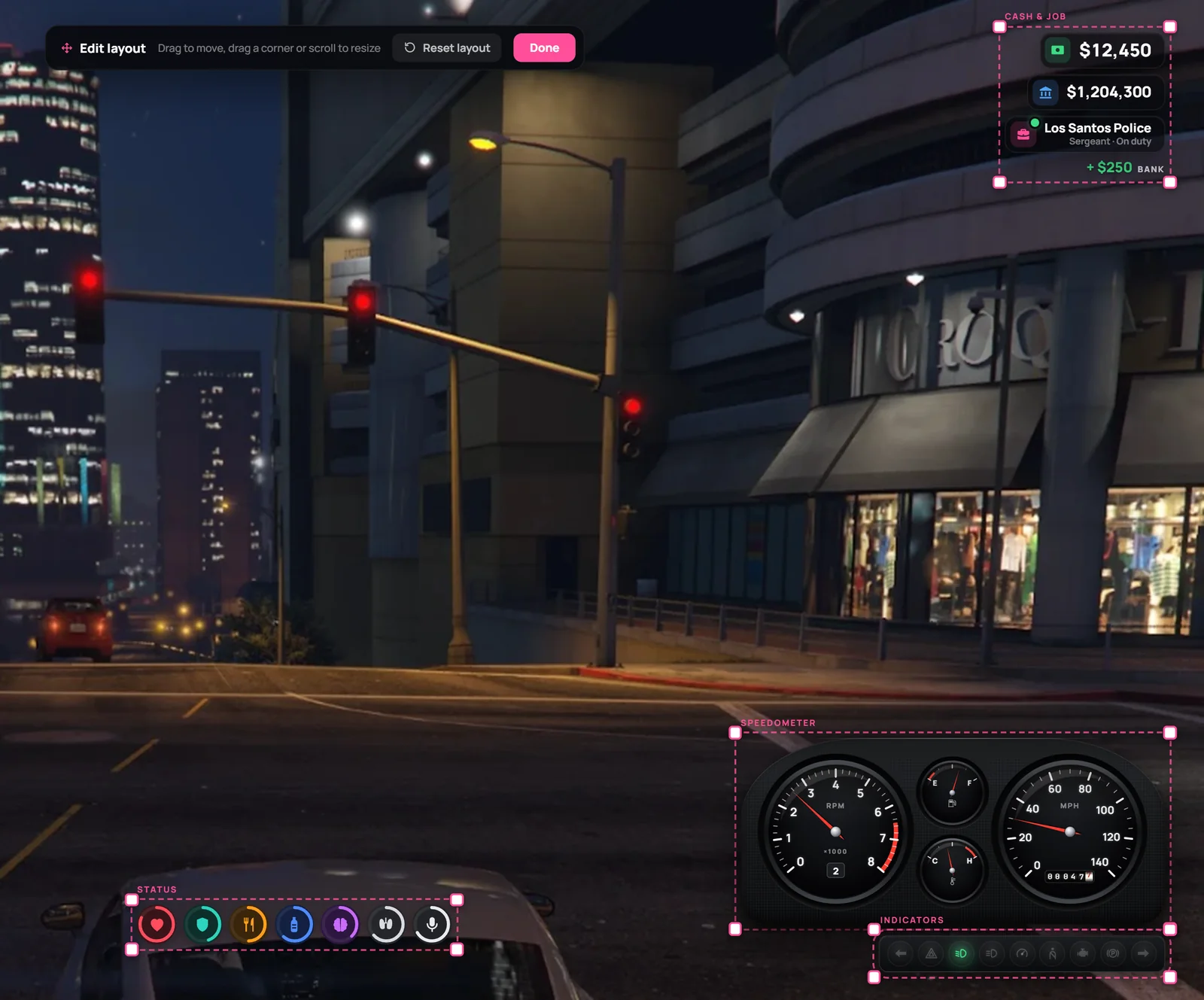
Edit layout turns the HUD into a canvas. Drag any part, resize it from 50% to 200% by a corner or the scroll wheel, and it's saved on the player's PC.

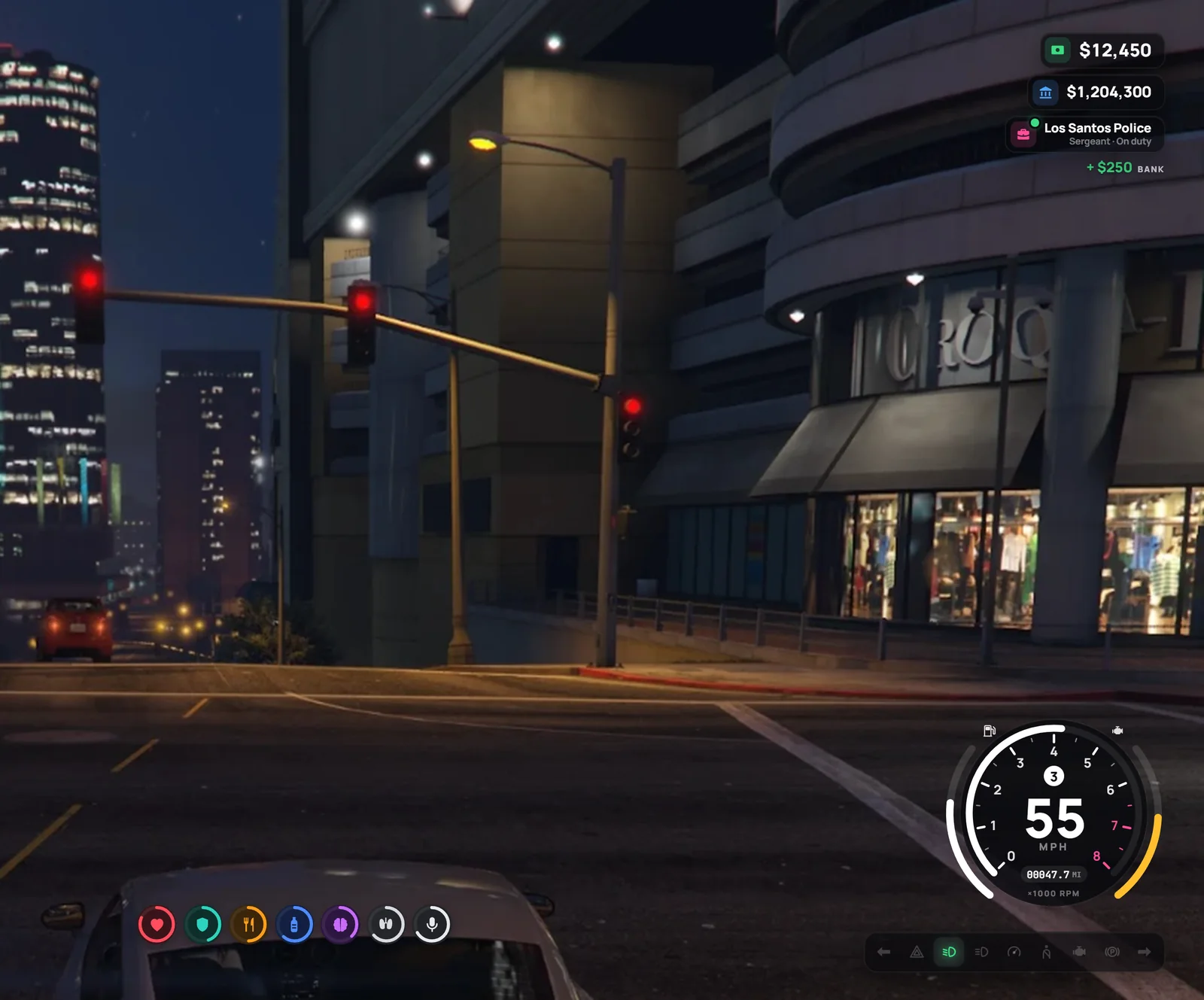
The HUD in the night city: Pro speedometer, indicator bar, status icons and cash with job
On the roadPro speedometer, indicator bar, status and cash with the job line.
The layout editor with corner handles on the speedometer, indicators, status and cash
Edit layoutEvery part gets corner handles and a name; the size shows while you drag.

Never off screen

After a resolution change, a bigger HUD size or a wider speedometer, each part is pulled back inside the edges, and it returns to its exact spot once it fits again.
Defaults never collide

The status icons pick the side of the map with room. Parts in their default spots step aside instead of covering each other.

Players stay in charge

Anything a player placed stays exactly where they put it, even overlapping. Resizing stops at the screen edge.

Under the hood

Built to the Bucky standard

FiveM Enhanced readyBuilt and tested on FiveM for GTA V Enhanced. Everything it uses also exists on FiveM for GTA V Legacy.
Timers, not framesStatus every 250 ms, dashboards every 80 ms while seated, streets every second.
Only changes travelOnly values that changed reach the interface, and only they are redrawn.
Drawn onceThe radar mask is drawn once per session; a new shape redraws only its corners.
Stored on the player's PCSettings, layout and profiles live in the client's resource storage. No database tables.

Requirements

  • QBCore
  • FiveM or FiveM for GTA V Enhanced
  • Replaces qb-hud and uses its events, so seatbelt, cruise, nitrous, harness, stress and money scripts keep working
  • Optional: a small qb-core patch for prompts and notifications

Commands

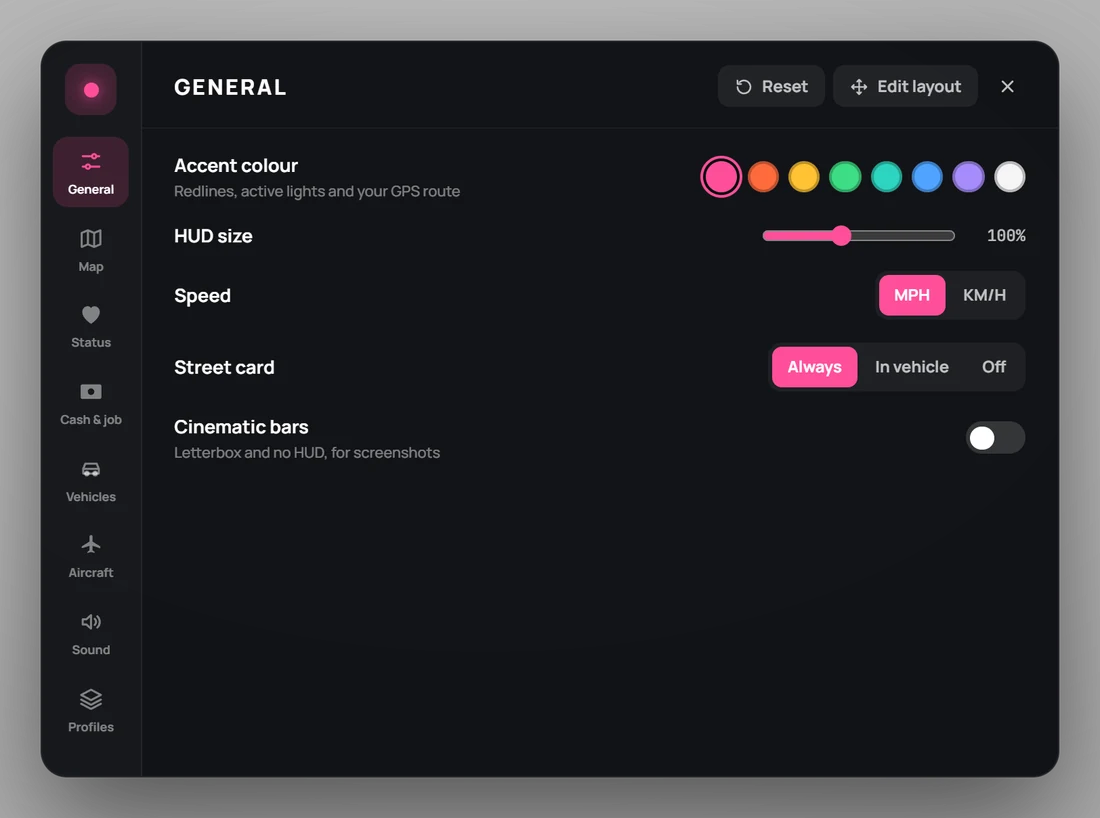
/hudThe menu (key I)
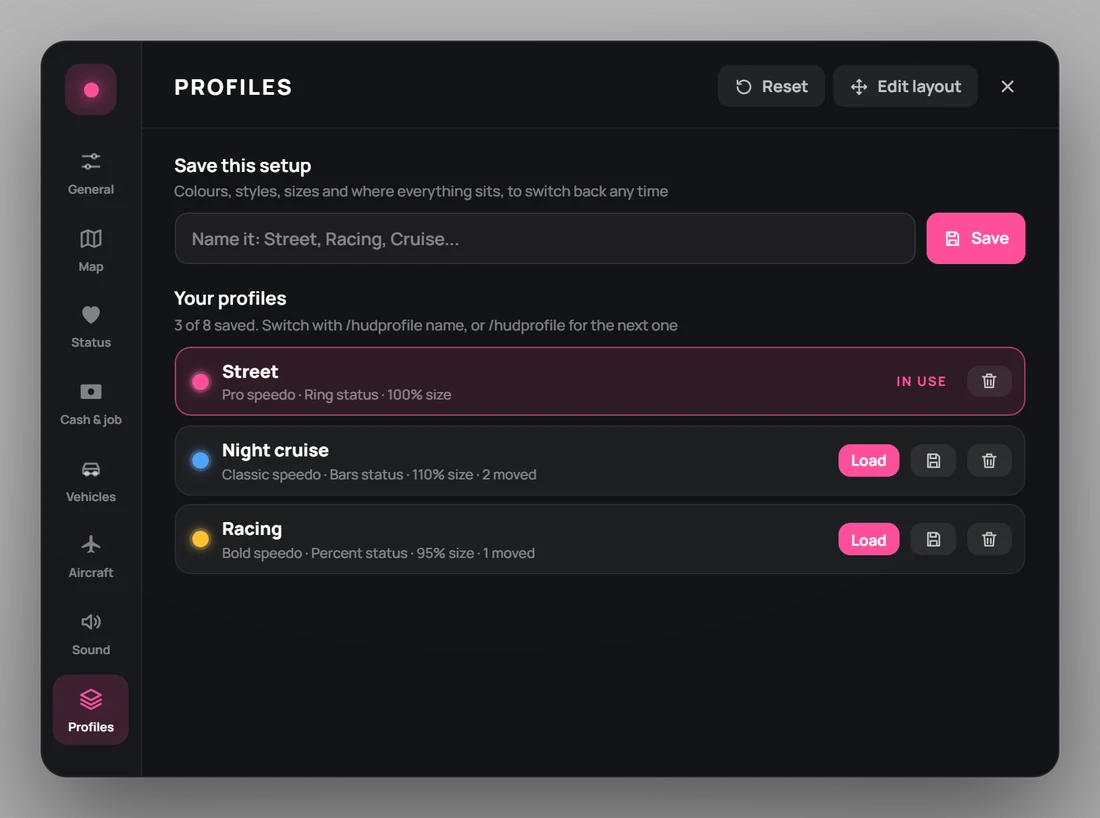
/hudprofileSwitch profile by name, or to the next
/cashShow the balance (also /bank)
/cinematicLetterbox bars, no HUD
/resethudReload the HUD
/hudbarsRadar health bars on or off

For developers

-- prompts and notifications from any script
exports['bucky-hud']:ShowPrompt('[E] Refuel', 'left')
exports['bucky-hud']:PressPrompt()
exports['bucky-hud']:HidePrompt()
exports['bucky-hud']:Notify('Saved', 'success', 5000)

Configurable

  • Every player setting's starting value
  • Speedometer per vehicle class or model
  • Radar corner size, blip room, alert rings, route colour
  • Speed limits by street name, city and county
  • Stress rules, notification position and length, update rates
The Bucky Ecosystem

One city. One economy.

Bucky HUD is the screen the whole economy speaks through: payroll from the reserve, fuel from the pumps, prompts from every script.

  1. ● Live
    Bucky Fuel26 player-owned stations and their tankersView script →
    ↓ 12% GST · 20% resales↑ Loans to buy stations
  2. ● Live
    Bucky ReserveThe central reserve every dollar moves throughView script →
    ↓ Payroll lands on screen↑ Reserve alerts for staff
  3. You're here
    Bucky HUDWhere players watch the economy move
With Bucky Reserve

Payroll on screen

Bucky Reserve pays police and EMS from the reserve while they're on duty. It lands as a green bank line, and the job line shows who's on duty.

With Bucky Fuel

The gauge tells the truth

Every dashboard reads the tank from Bucky Fuel first, so the gauge shows exactly what a player-owned station sold you.

With Bucky Fuel

One voice for the ecosystem

Fuel pumps, jerry cans, tankers and the reserve's alerts all prompt and notify through the HUD, so every Bucky script looks like one product.

Coming

Bucky Driving. A true manual gearbox for the people hauling freight: a mouse-driven gear selector, clutch stalls and rollback on hills.

Vision

Supply chain. Farms, warehouses and kitchens linked by player-driven trucks and trains. When the chain stops, businesses run dry.

Get Bucky HUD

Every instrument, your way.

A complete heads-up display for QBCore roleplay servers. Seven speedometers that match the car you're in, GTA's own radar with rounded corners, cash with your job and duty, and a layout every player can rearrange and save.

  • Delivered instantly to your Cfx.re Keymaster
  • Secure checkout by Tebex, the official FiveM store

What you get

  • Seven speedometers. Analogue, Pro, Classic, Modern, Bold, Digital and Minimal, or Auto to match the vehicle class.
  • GTA's radar, refined. Rounded or classic corners, blips kept inside the frame, speed-limit sign and a street card.
  • Cash, job and duty. Five looks for cash and bank, with every change shown and the job line updated live.
  • Drag-and-drop layout. Players move and resize every part from 50% to 200%, saved on their own PC.

Requirements

  • QBCore
  • Replaces qb-hud
FAQ

Bucky HUD questions

Which framework does Bucky HUD support?

QBCore. It replaces qb-hud. With a small qb-core patch, every QBCore script's prompts and notifications take the HUD's look.

Can players change the layout?

Yes. Edit layout lets each player drag any part and resize it from 50% to 200%, and the layout is saved on their PC.

Does it work on FiveM Enhanced?

Yes. It runs on both the classic FiveM build and FiveM Enhanced (the GTA V Enhanced edition of the platform).

How is it delivered?

After checkout the resource is added to the Cfx.re Keymaster account you signed in with. Download it from Keymaster and add it to your server like any other resource.

Is the code escrow protected?

The core is protected with Cfx.re Asset Escrow, so it can't be leaked or resold. The config files you need to tune it stay open and editable.