Every litre is taxed into the reserve
Station income pays 12% GST and resales pay 20%, straight into the Bucky Reserve Central Reserve.
Every Bucky script works on its own. Installed together, they share one closed-loop economy: taxes flow into a central reserve, the reserve pays the city's wages, and the HUD shows it all.
Nothing spawns from thin air. Each Bucky script works on its own — installed together, they share one closed-loop economy with a central reserve at its heart.
Station income pays 12% GST and resales pay 20%, straight into the Bucky Reserve Central Reserve.
Land, construction, stamp duty, the registration fee and furniture tax are deposited into the Central Reserve, and the Authority's agents are paid their salaries from it.
The game's own gear isn't the one you chose. With Bucky HUD's manual gearbox update, its dials read N, R, 1, 2 and up straight from the gate, even while the engine is stalled.
An advanced inventory system built to plug into the rest of the Bucky ecosystem.
The supply side of the city: warehouses and deliveries linked by player-driven trucks. When the chain stops, businesses run dry.
Clothing stores and outfits for the Bucky city.
Character appearance: how players look, from face to features.
A 3D cockpit console in the style of the gear gate: start, throttle, flaps and landing gear. Planes first, then helicopters and VTOL.
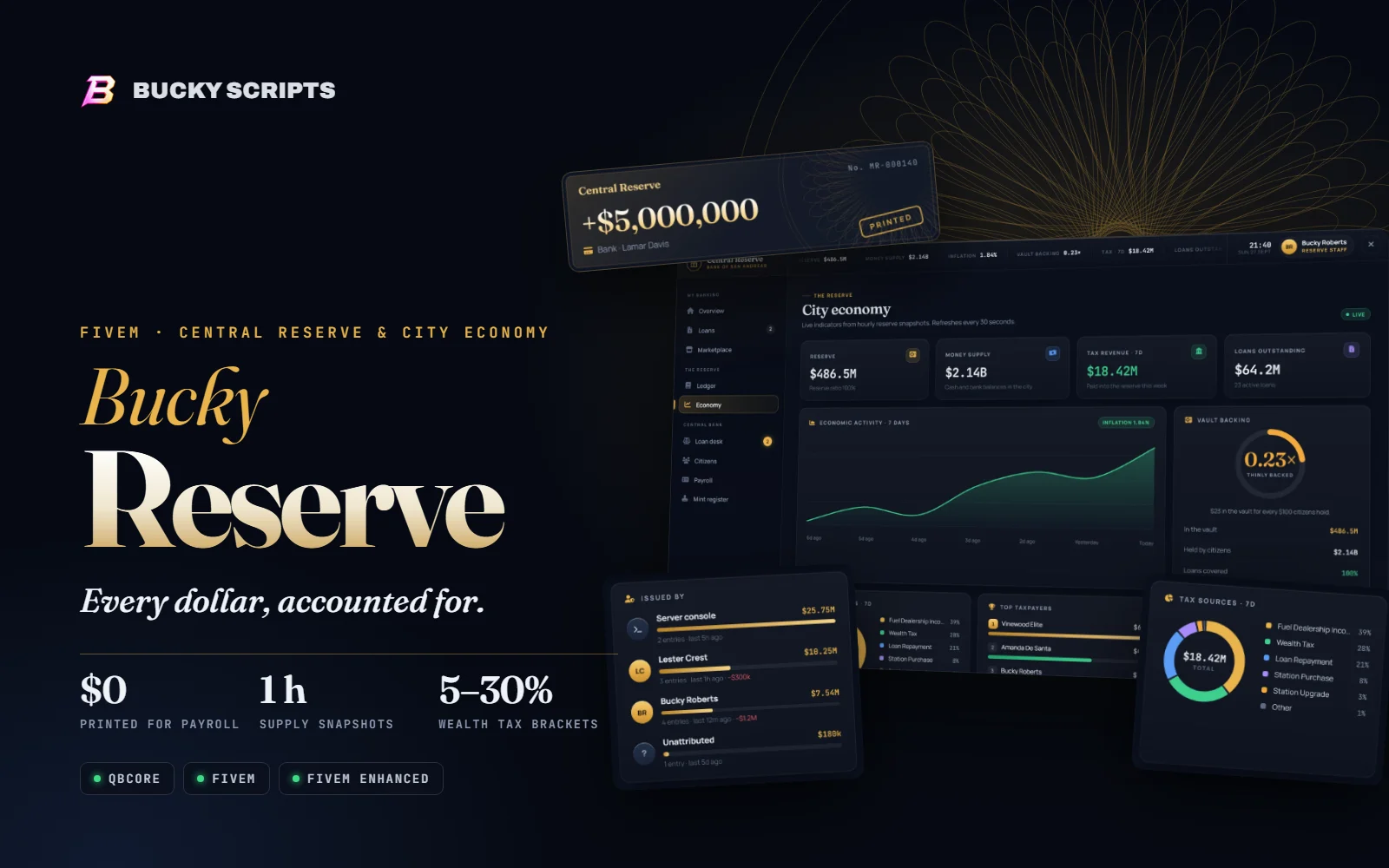
Every dollar, accounted for.
The central reserve for QBCore roleplay servers. Police and EMS are paid from the vault instead of printed money, taxes flow back into it, every dollar staff create with a command is on the record, and the city's money supply and inflation are public.
+ Bucky Fuel included free
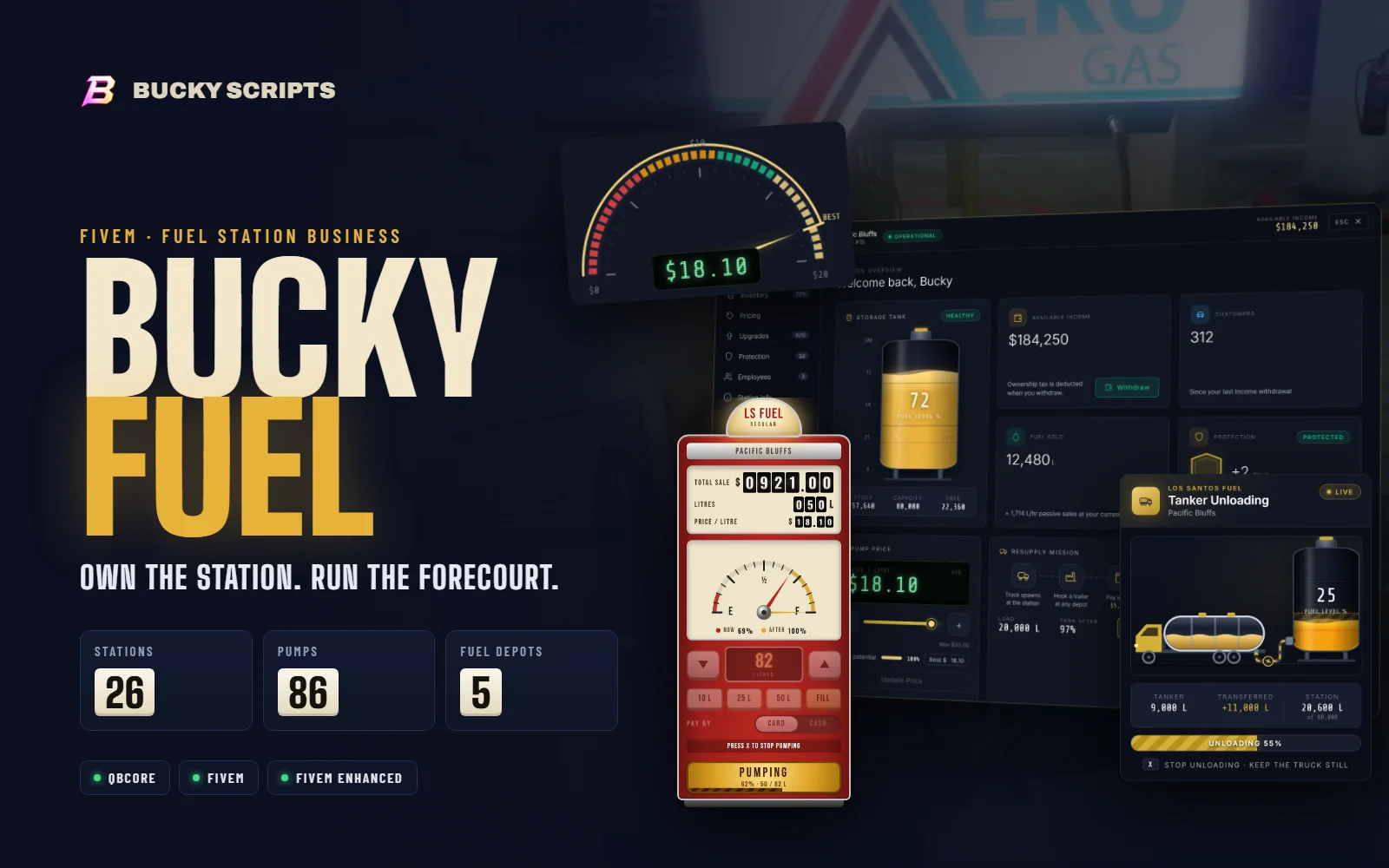
Own the station. Run the forecourt.
A complete fuel business for roleplay servers. Buy a station, set your price, hire drivers, haul fuel in from the depots, and serve every driver through a hand-built retro pump.
Or free with Bucky Reserve
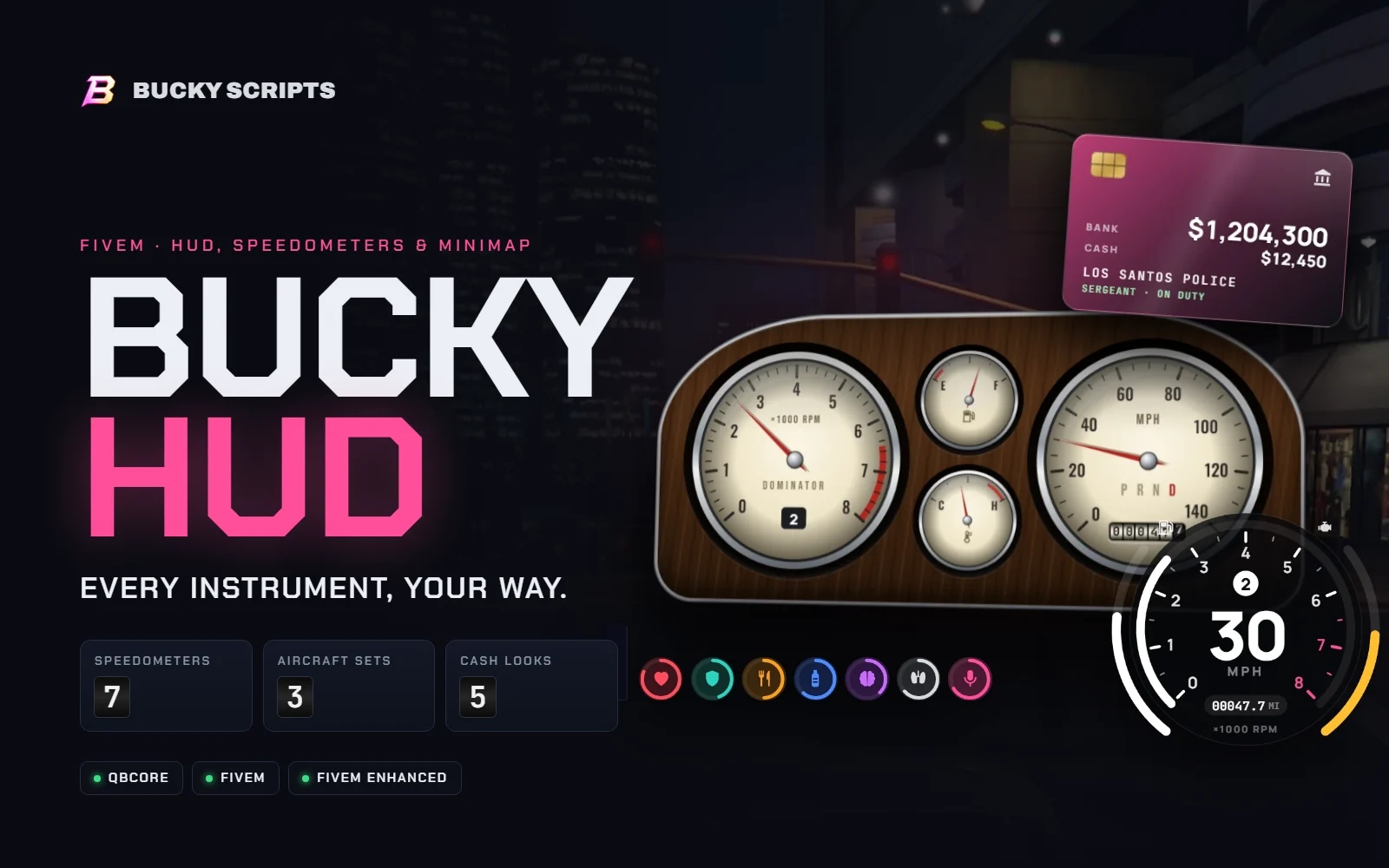
Every instrument, your way.
A complete heads-up display for QBCore roleplay servers. Seven speedometers that match the car you're in, GTA's own radar with rounded corners, cash with your job and duty, and a layout every player can rearrange and save.
Or save with both in the Bucky Drive Pack
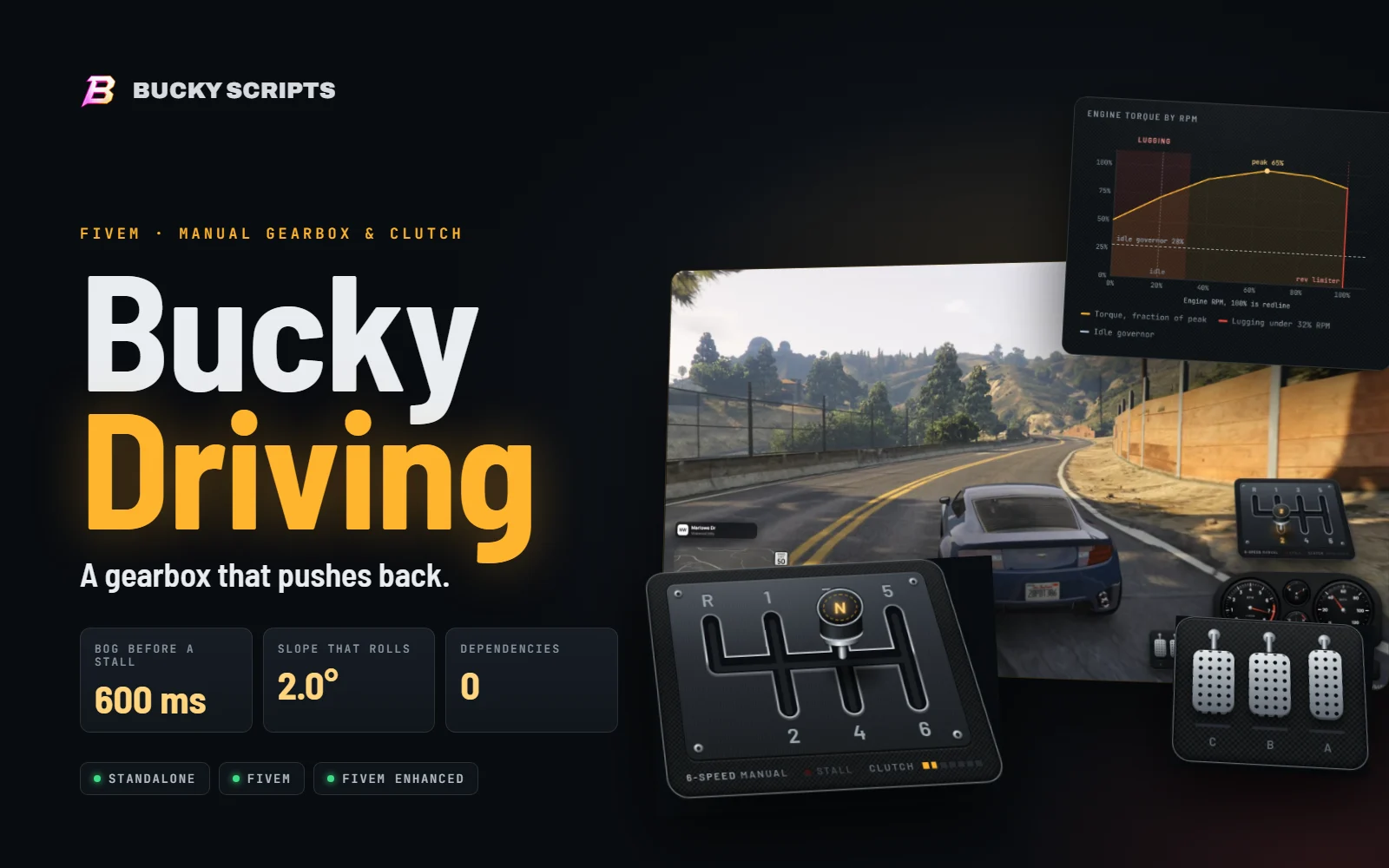
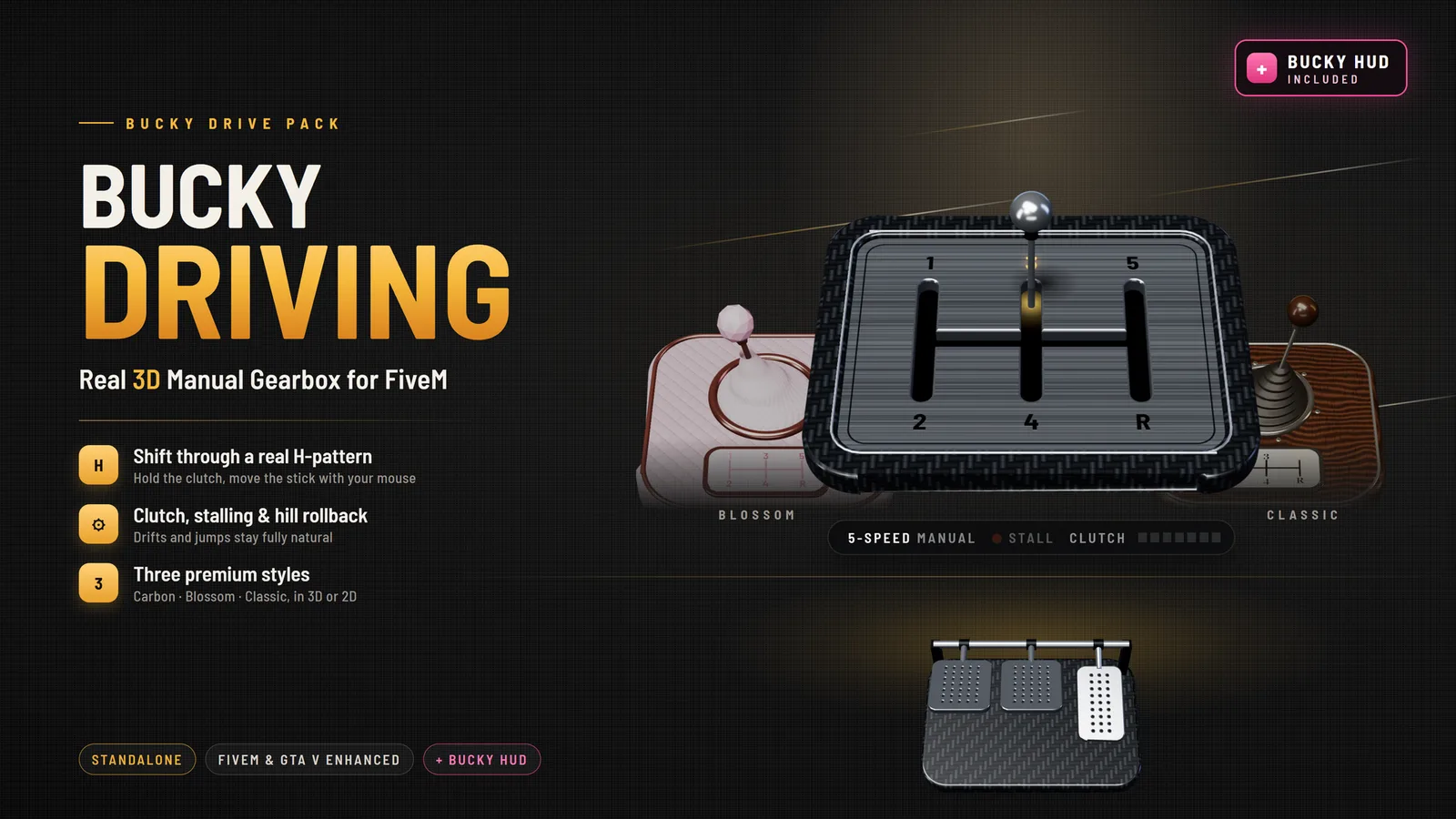
A gearbox that pushes back.
A manual gearbox for FiveM that behaves like one. Drag the stick through a real H-gate with the mouse, work a clutch with a bite point, and feel every gear pull differently. Pull away in a gear that is too tall and the engine judders, then stalls.
Or save with both in the Bucky Drive Pack
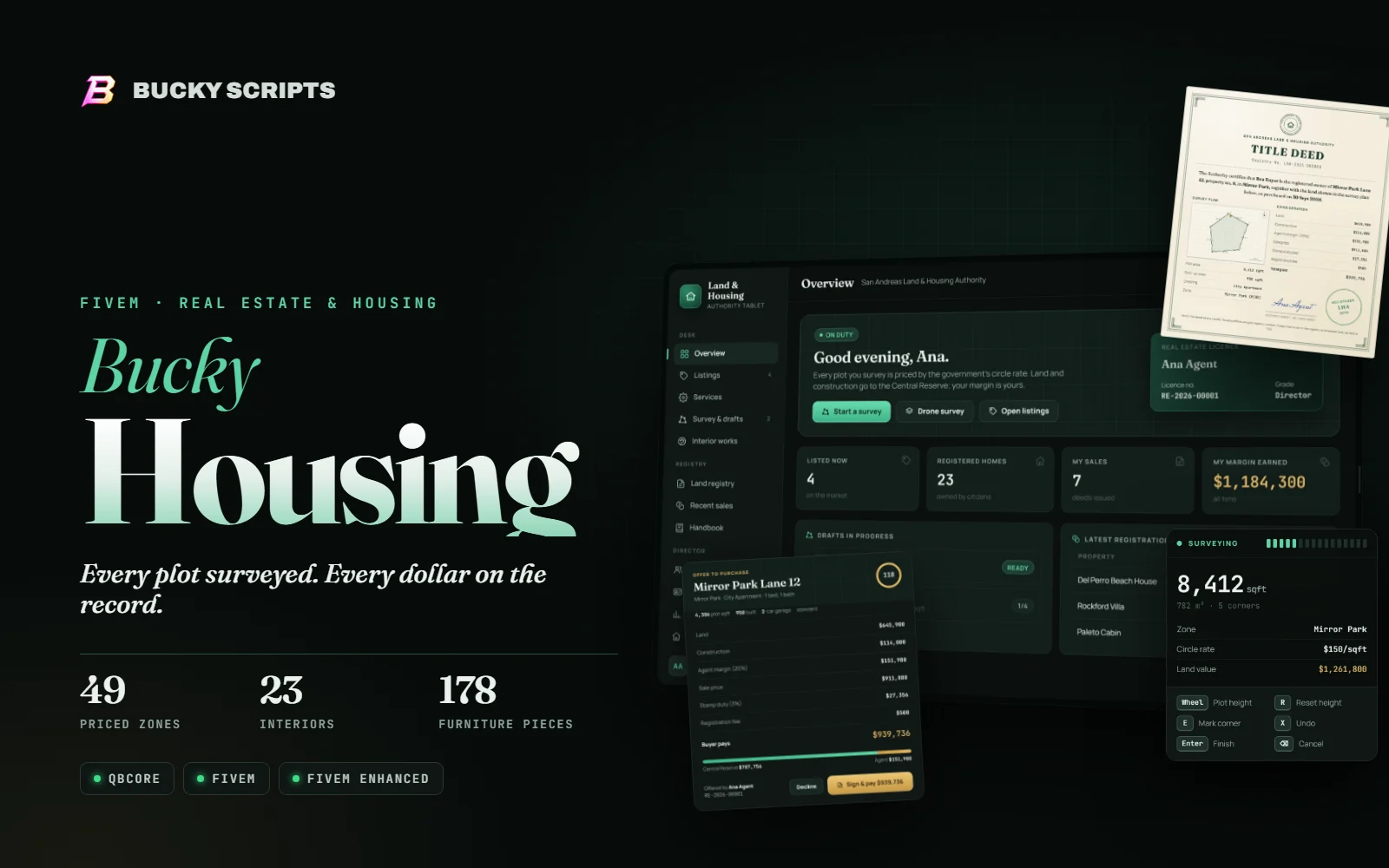
Every plot surveyed. Every dollar on the record.
A government real estate system for QBCore servers. Licensed agents survey land, price it by the zone's circle rate and sell homes with a signed offer and a title deed. Owners furnish with on-screen arrows, ordered furniture arrives by truck, and land, taxes and fees go to the Central Reserve.
Bucky HUD + a real 3D manual gearbox
Bucky HUD and Bucky Driving in one package. Install both and they link up on their own: the speedometer shows the gear you actually put the stick in and the gearbox's real engine RPM, and gearbox messages appear in the HUD.
All of them run on FiveM and FiveM Enhanced. Optional links switch on by themselves when both scripts are running.
| Script | Framework | Needs | Works with |
|---|---|---|---|
| Bucky ReserveEconomy | QBCore |
| |
| Bucky FuelBusiness | QBCore |
| |
| Bucky HUDInterface | QBCore |
| |
| Bucky DrivingVehicles | Standalone |
| |
| Bucky HousingReal estate | QBCore |
|
Setup help, common questions and how to open a ticket.
Open support →Install help, updates, release news and the roadmap as it moves.
Join the Discord →Every purchase lands in Cfx.re Keymaster: portal.cfx.re → Assets → Granted Assets.
Open Keymaster →Scripts that are sold together for less, like the Drive Pack.
See bundles →What you can do with a Bucky script on your server.
Read the licence →When refunds apply for digital resources delivered to Keymaster.
Read the policy →No manual licence keys and no waiting for a download link.
Checkout asks you to sign in with the Cfx.re account that owns your server, so the resource lands in the right Keymaster.
Tebex handles payment and tax as the official FiveM store platform. We never see your card details.
The resource appears in your Cfx.re Keymaster. Download it, drop it into your resources and ensure it.
Open a ticket in our Discord for install help, bugs or questions.