Skip to content
Bundle · Bucky Driving + Bucky HUD

Bucky Drive PackFiveM HUD + realistic 3D manual gearbox

Bucky HUD and Bucky Driving in one package. Install both and they link up on their own: the speedometer shows the gear you actually put the stick in and the gearbox's real engine RPM, and gearbox messages appear in the HUD.
  • Instant Cfx.re Keymaster delivery
  • Secure checkout by Tebex
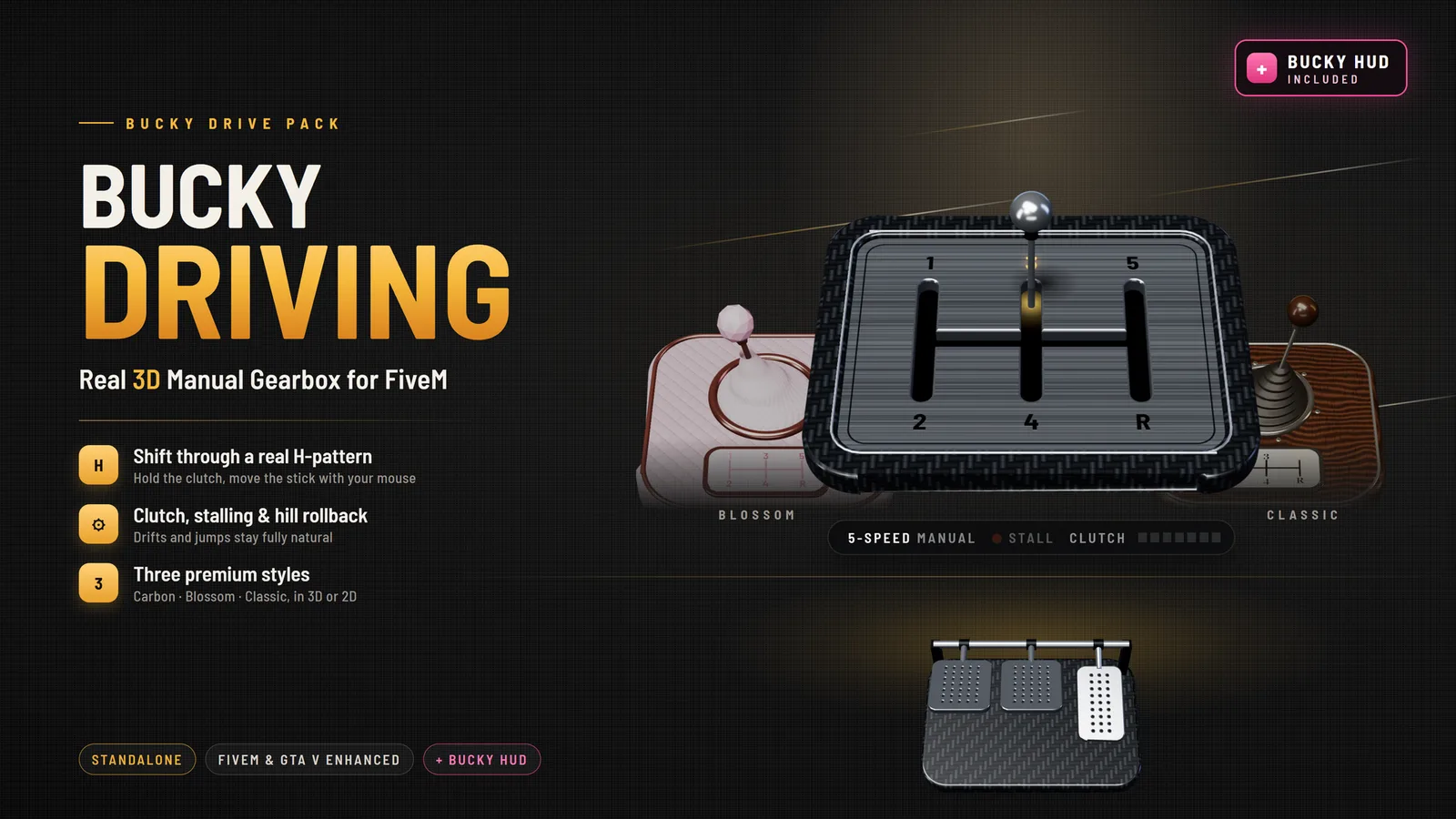
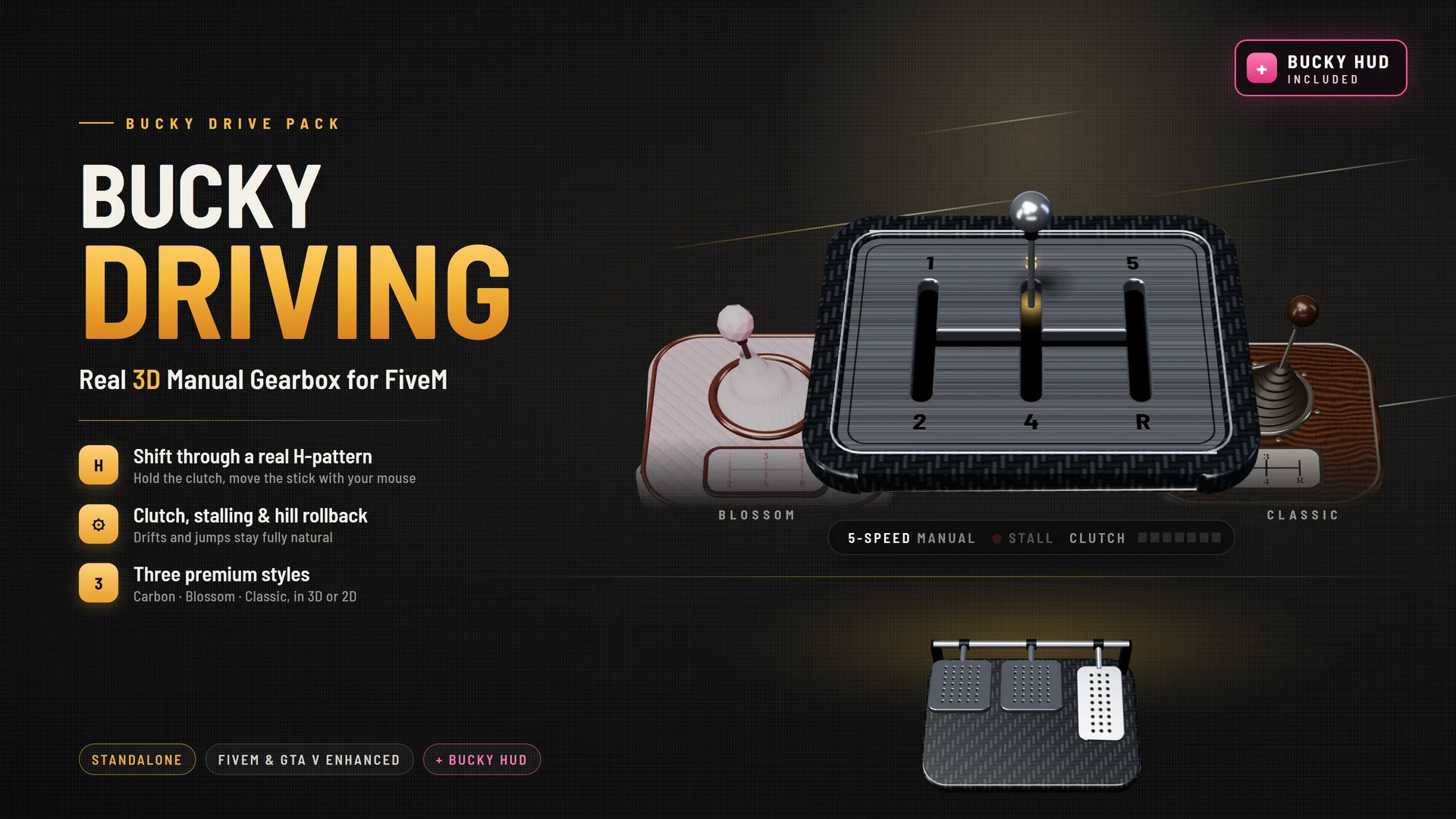
Bucky Drive Pack: the Carbon 3D gear stick and pedals between the Blossom and Classic styles, with Bucky HUD included
Better together

Your gear, your revs, on your speedometer

Install both and they link up on their own, with no setup. Each script still works on its own.
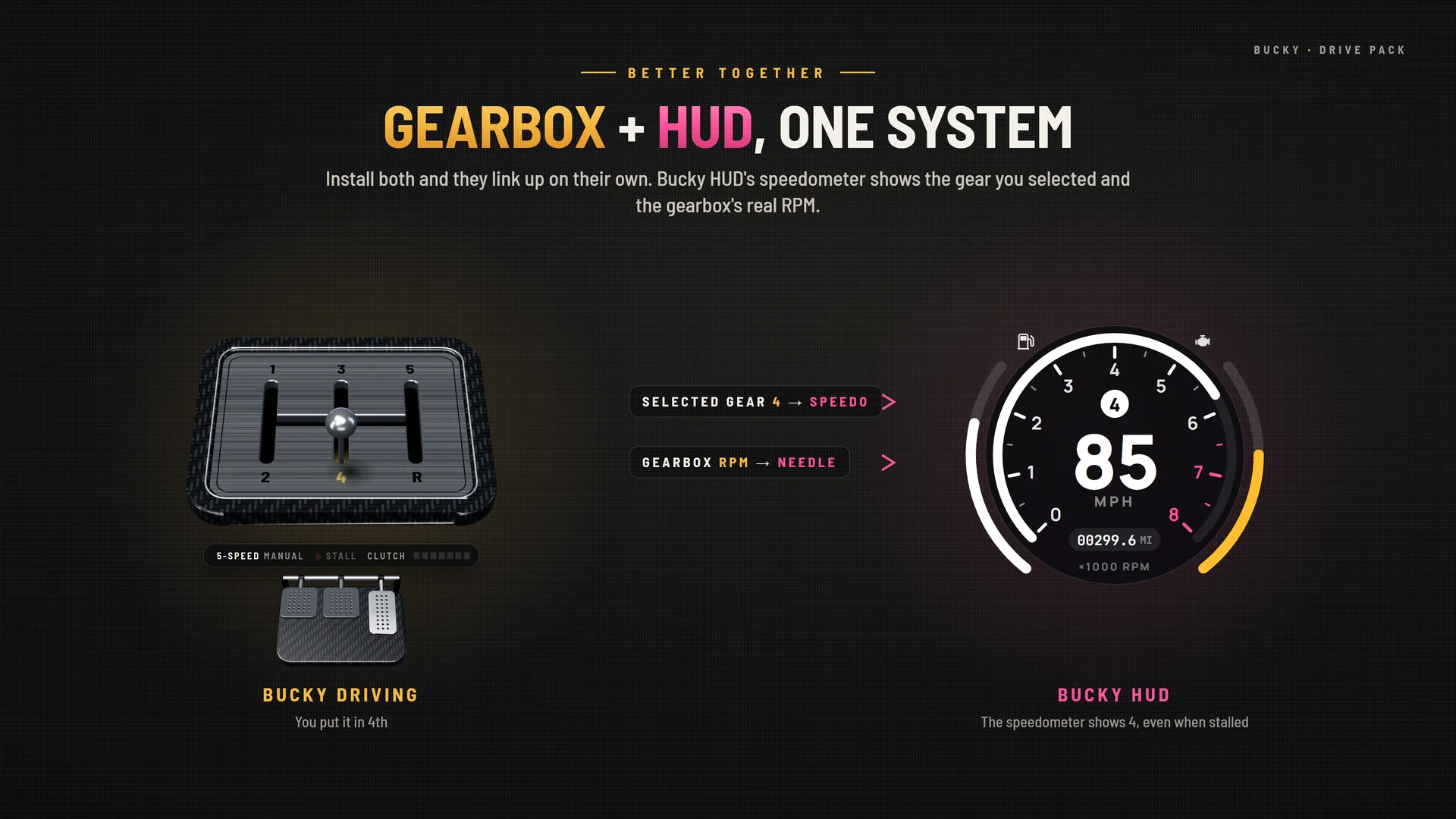
Gearbox plus HUD as one system: the selected gear 4 and gearbox RPM feed Bucky HUD's speedometer

Real gear on the speedometer

Bucky HUD shows the gear you put the stick in, not the game's automatic guess.

The RPM needle follows your gearbox

It rises when you rev, drops when you shift, and dies when you stall.

Matching notifications

Gearbox messages appear in Bucky HUD's own style.

Install both and you're done

ensure bucky-hud and ensure bucky-driving. They find each other.

Inside the pack · 1 of 2

Bucky Driving: a real 3D manual gearbox

Clutch, shifting, stalling and hill rollback, without breaking GTA's driving. Drifts, burnouts and jumps stay fully natural.

Full Bucky Driving page →
Real shifting

Clutch in, shift, stall, restart

Hold the clutch on Left Shift, then move the gear stick through the gate with the mouse or the right stick. The camera stays still while you shift.
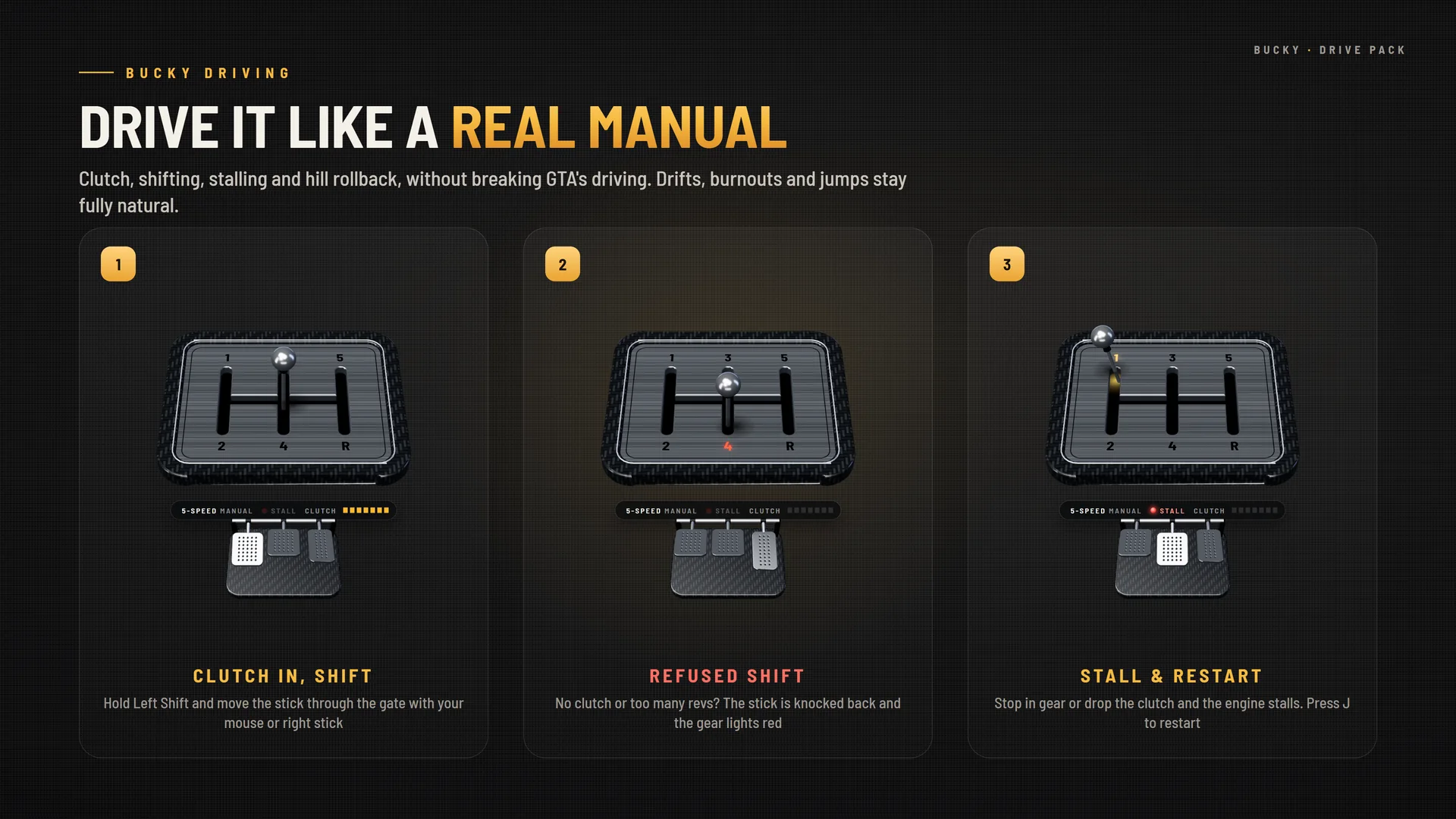
  • An H-pattern gate built from each car's own number of gears
  • A bad shift is refused: over-revving, or reverse while moving, knocks the stick back and lights the gear red
  • Let the clutch out too slowly or stop in gear and the engine stalls. Press J to restart
  • The car rolls back on hills in neutral or with the clutch in
Drive it like a real manual: clutch in and shift, a refused shift, and stall and restart
3 styles, each in 3D or 2D

Carbon, Blossom and Classic

A live 3D gear stick and pedals that move as you drive, and a flat 2D version of every style.
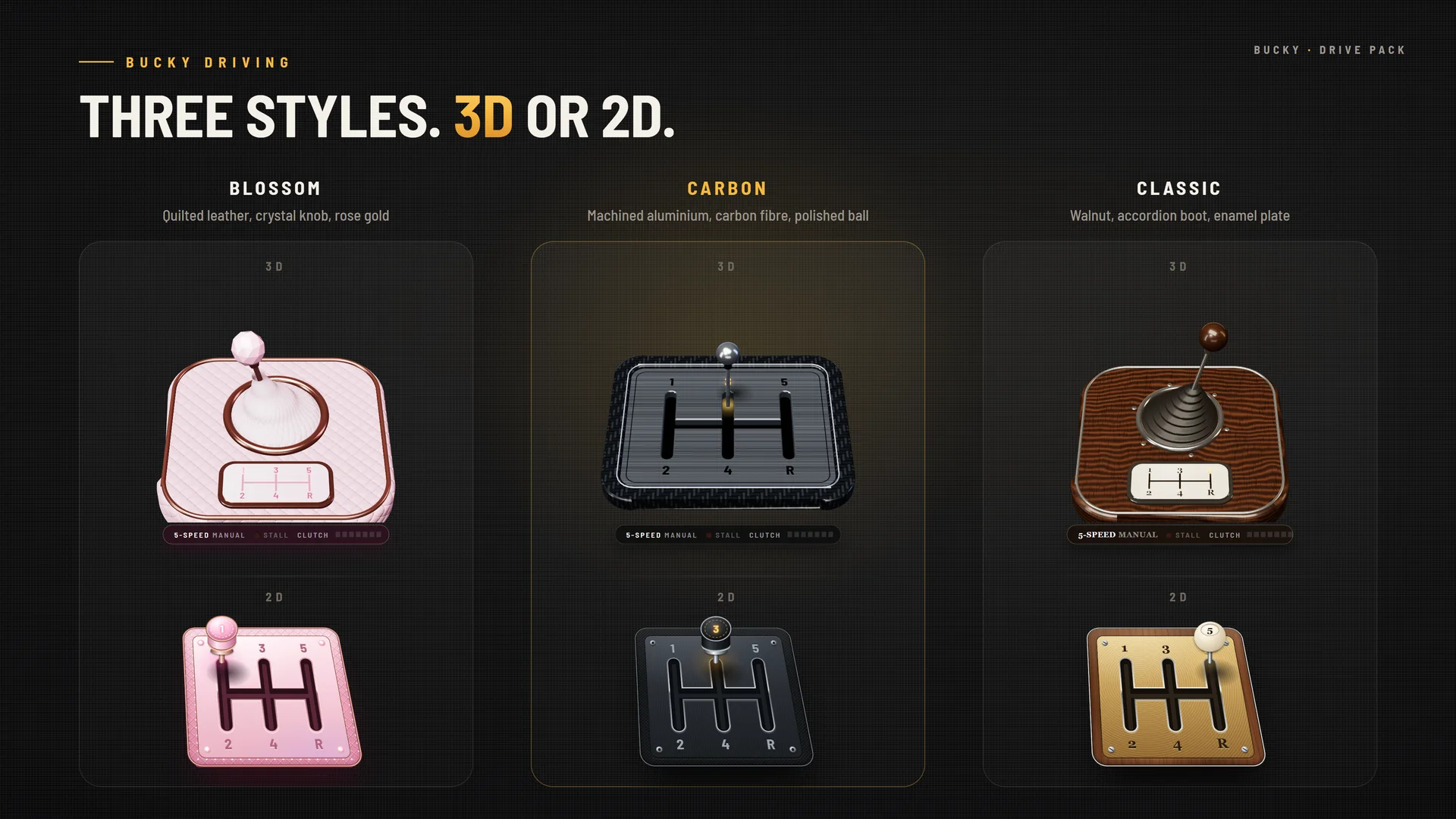
  • Carbon: machined aluminium open gate, carbon fibre, polished ball knob
  • Blossom: quilted blush leather, a pearl boot that bends with the lever, crystal knob, rose gold
  • Classic: walnut, accordion boot, walnut ball knob, enamel shift plate
  • Gear clicks, a grind on a refused shift and pedal sounds, with no audio files
Three gearbox styles, Blossom, Carbon and Classic, each in 3D and 2D
/gearhud settings panel

Every player sets it up their way

One panel for the look, the camera angle and the layout, saved for each player.
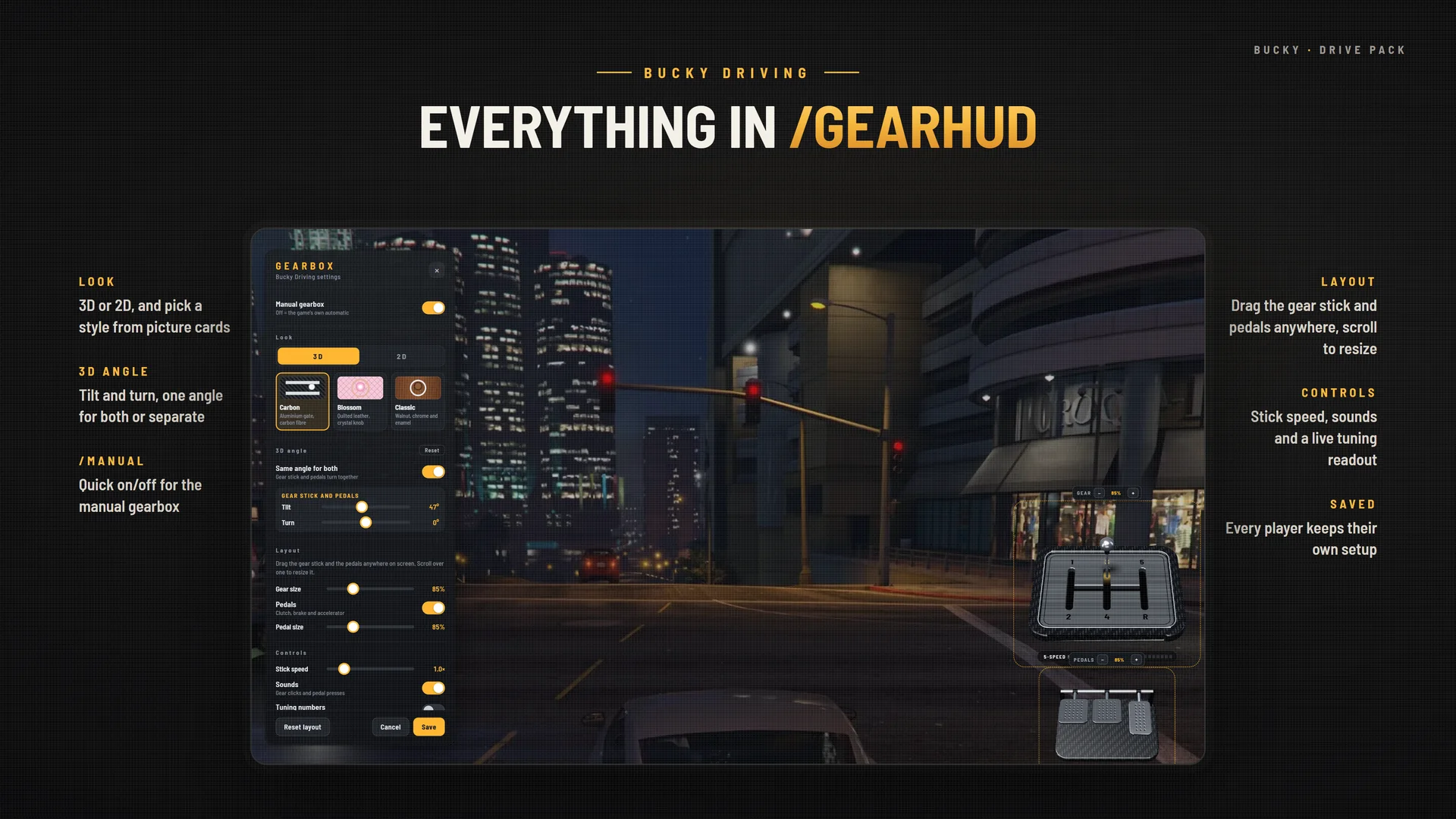
  • 3D or 2D, and a style picked from picture cards
  • Tilt and turn the 3D camera, with one angle for both or separate angles
  • Drag and resize, stick speed, sounds, pedals on or off, and a live tuning readout
  • /manual turns the manual gearbox on or off
The /gearhud settings panel in game: look, 3D angle, layout, controls and saved setup
Inside the pack · 2 of 2

Bucky HUD: a complete HUD, included

A dark, minimal, modern HUD. It replaces qb-hud and uses the same events, so seatbelt, cruise, nitrous, harness, stress and money from your other scripts keep working.

Full Bucky HUD page →
7 speedometer styles

Pro, Modern, Bold, Digital, Analogue, Classic, Minimal

For cars, EVs, motorbikes, trucks and boats, plus aircraft instruments. Auto mode picks a style for each vehicle class.
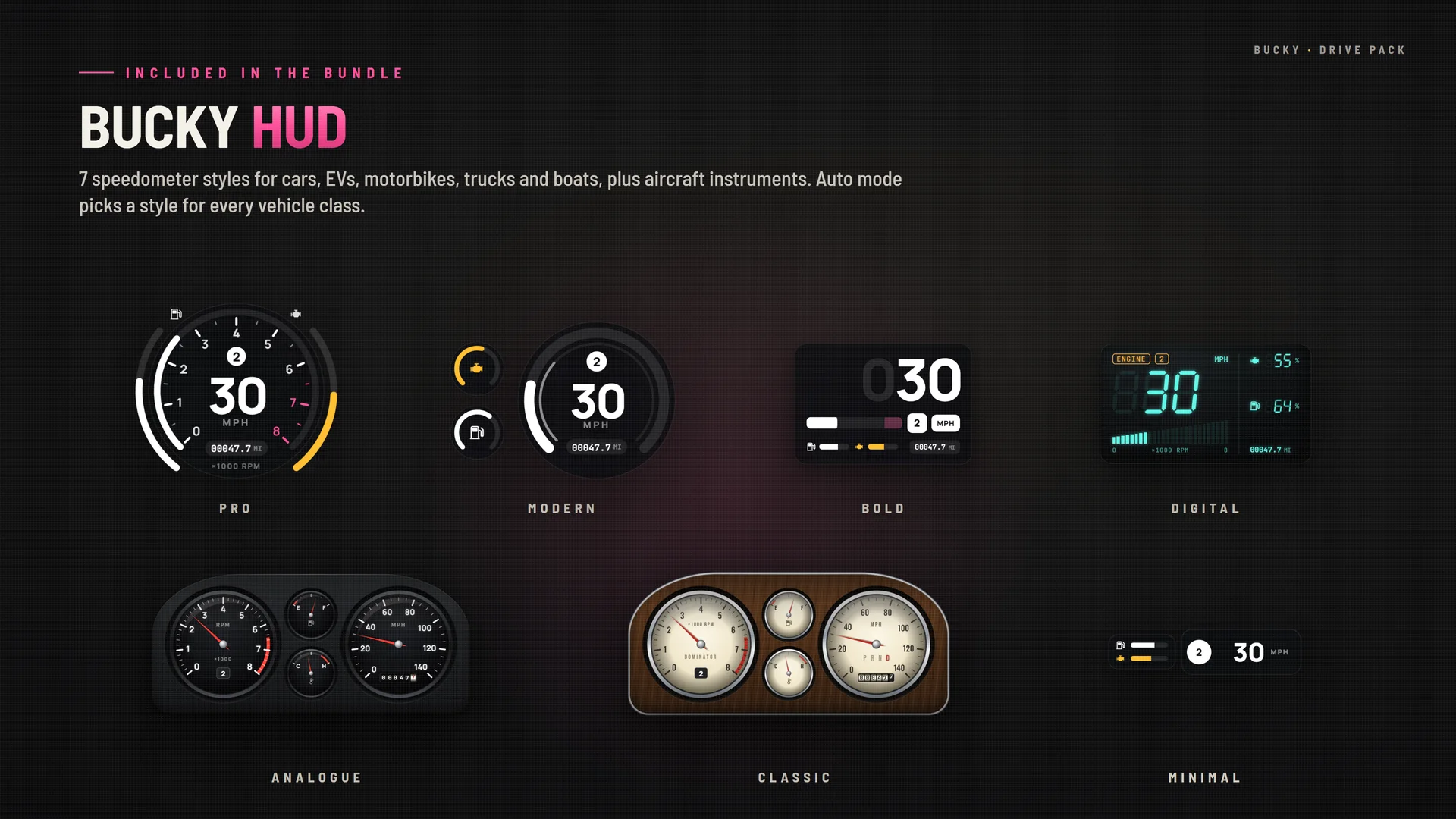
  • A gauge sweep on engine start and a rolling drum odometer
  • EV battery, power and regen display
  • Truck air brake and trailer health, motorbike lean angle, boat heading and depth
  • Aircraft instruments: Analogue, Digital or Display, with warning lights
Bucky HUD's seven speedometer styles: Pro, Modern, Bold, Digital, Analogue, Classic and Minimal
Everything on screen

Status, minimap, money, chat and prompts

Every player can restyle, drag and resize it, pick an accent colour and save profiles.
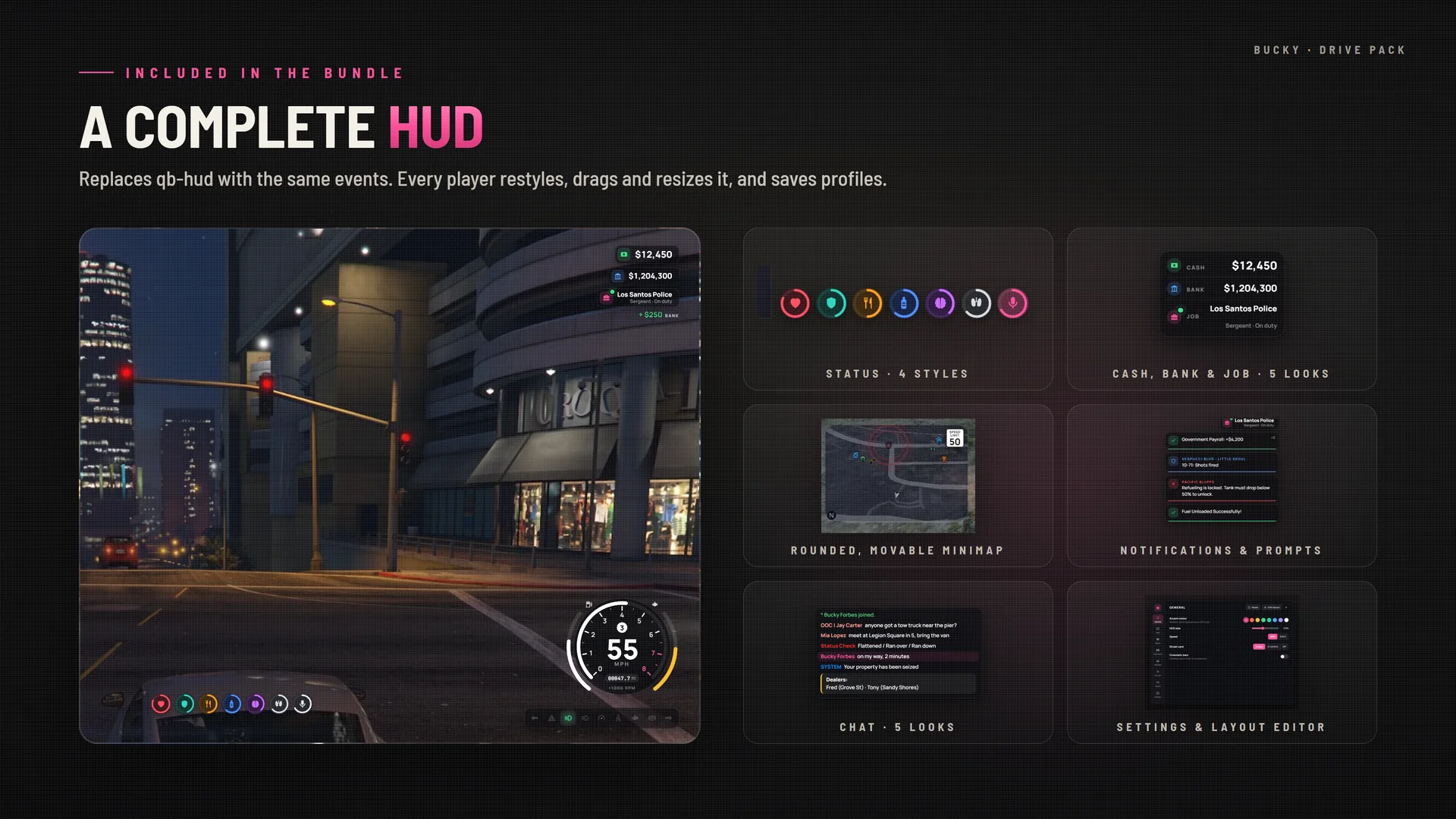
  • Status: health, armour, hunger, thirst, stress, stamina or oxygen and voice, in 4 styles and 2 shapes
  • The game's own radar with rounded corners, movable and resizable, with street card, waypoint distance and speed limit
  • Cash, bank and job in 5 looks with animated amounts
  • A chat in 5 looks that stays compatible with every script, plus key-cap prompts and stacking notifications
A complete HUD in game: status, cash and job, rounded minimap, notifications, chat and the layout editor
What's inside

Two full scripts, one package

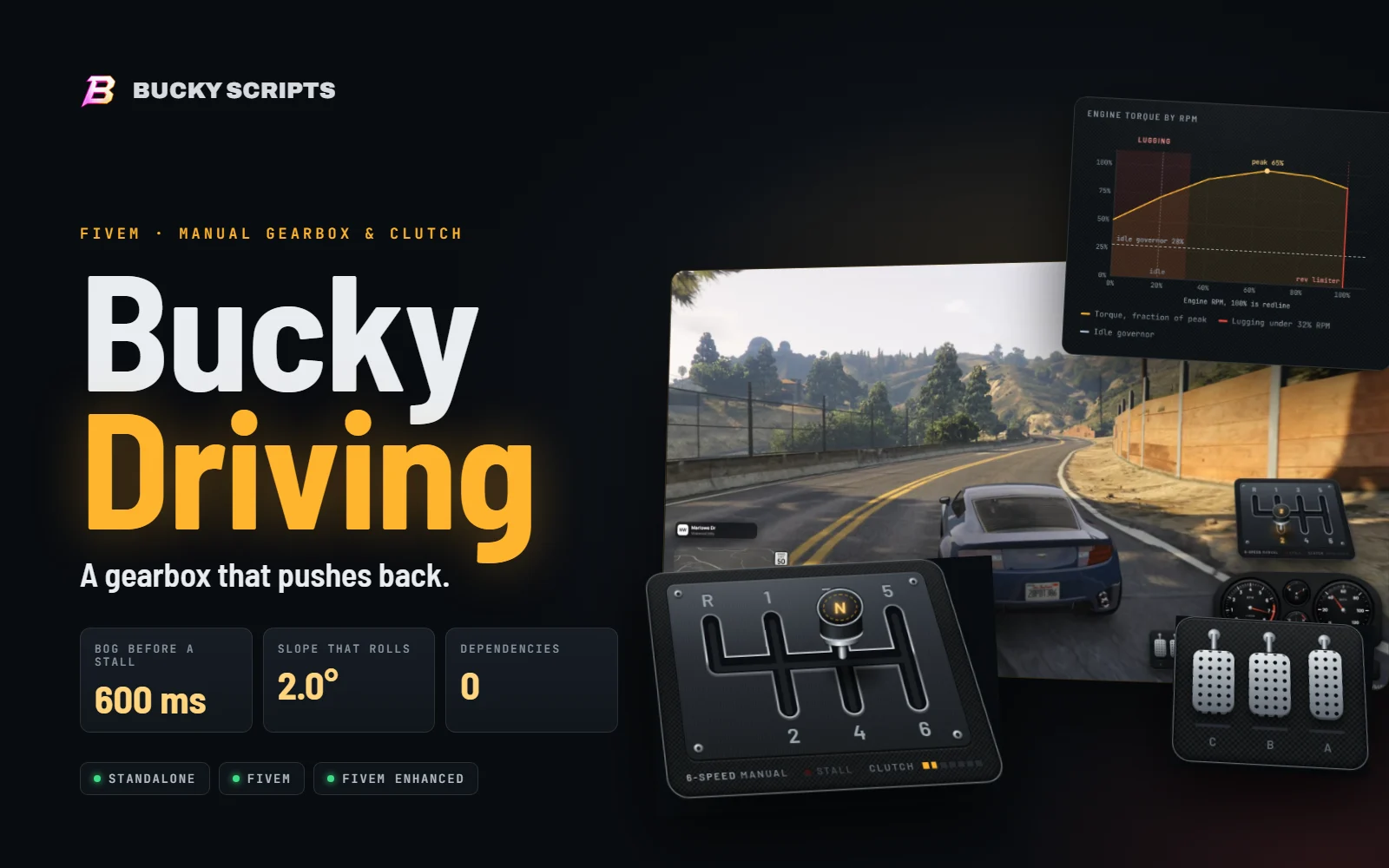
Bucky Driving cover: the in-game gear gate and pedals over a car on a hill road, with the torque chart and launch matrix

Bucky Driving

FiveM Manual Gearbox & Clutch Script
  • A real H-gate. Hold Left Shift and drag the stick with the mouse. Gears snap in, and a shift that would over-rev the engine is refused with a knock.
  • A clutch with a bite point. It goes down in 120 ms and comes up in 900 ms, so the car picks up smoothly through a real bite zone.
  • Stalls, judder and rollback. Pull away in too tall a gear, or up a hill without throttle, and the engine bogs, judders and dies. In neutral the car rolls back down a slope.
  • Pedals on screen. Clutch, brake and accelerator tip as you press them. Players drag and resize the gate and pedals with /gearhud, saved on their own PC.
See everything in Bucky Driving →
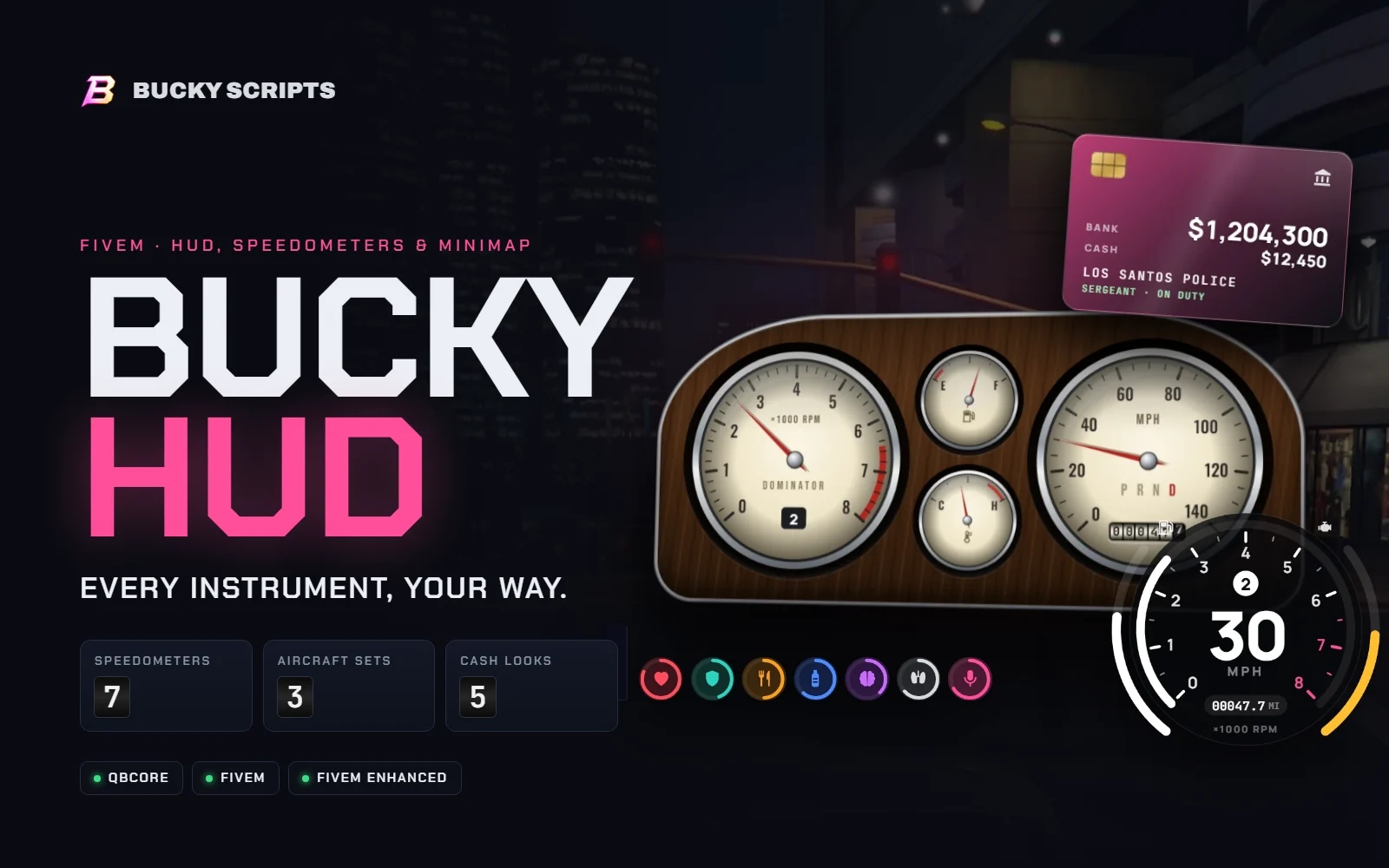
Bucky HUD cover: the Classic speedometer cluster, the Pro speedometer, the bank card cash look and status rings

Bucky HUD

FiveM HUD & Speedometer Script
  • Seven speedometers. Analogue, Pro, Classic, Modern, Bold, Digital and Minimal, or Auto to match the vehicle class.
  • GTA's radar, refined. Rounded or classic corners, blips kept inside the frame, speed-limit sign and a street card.
  • Cash, job and duty. Five looks for cash and bank, with every change shown and the job line updated live.
  • Drag-and-drop layout. Players move and resize every part from 50% to 200%, saved on their own PC.
See everything in Bucky HUD →

Optimised

Bucky HUD only sends values that changed, on timed updates rather than every frame. Bucky Driving runs entirely on the client: its 3D only redraws when something moves, and its driving code only runs while you drive a manual car.

Requirements & install

  • QBCore (for Bucky HUD)
  • Bucky Driving: standalone
  • No ox_lib
  • FiveM & FiveM Enhanced
  • Open config.lua

Add ensure bucky-hud and ensure bucky-driving. Full setup guides are included. The manual gearbox is for cars and bikes; EVs, boats, aircraft, bicycles and trains stay automatic.

Get the Bucky Drive Pack

One pack, one driving experience.

Bucky Driving and Bucky HUD, delivered together to your Cfx.re Keymaster account the moment you check out.
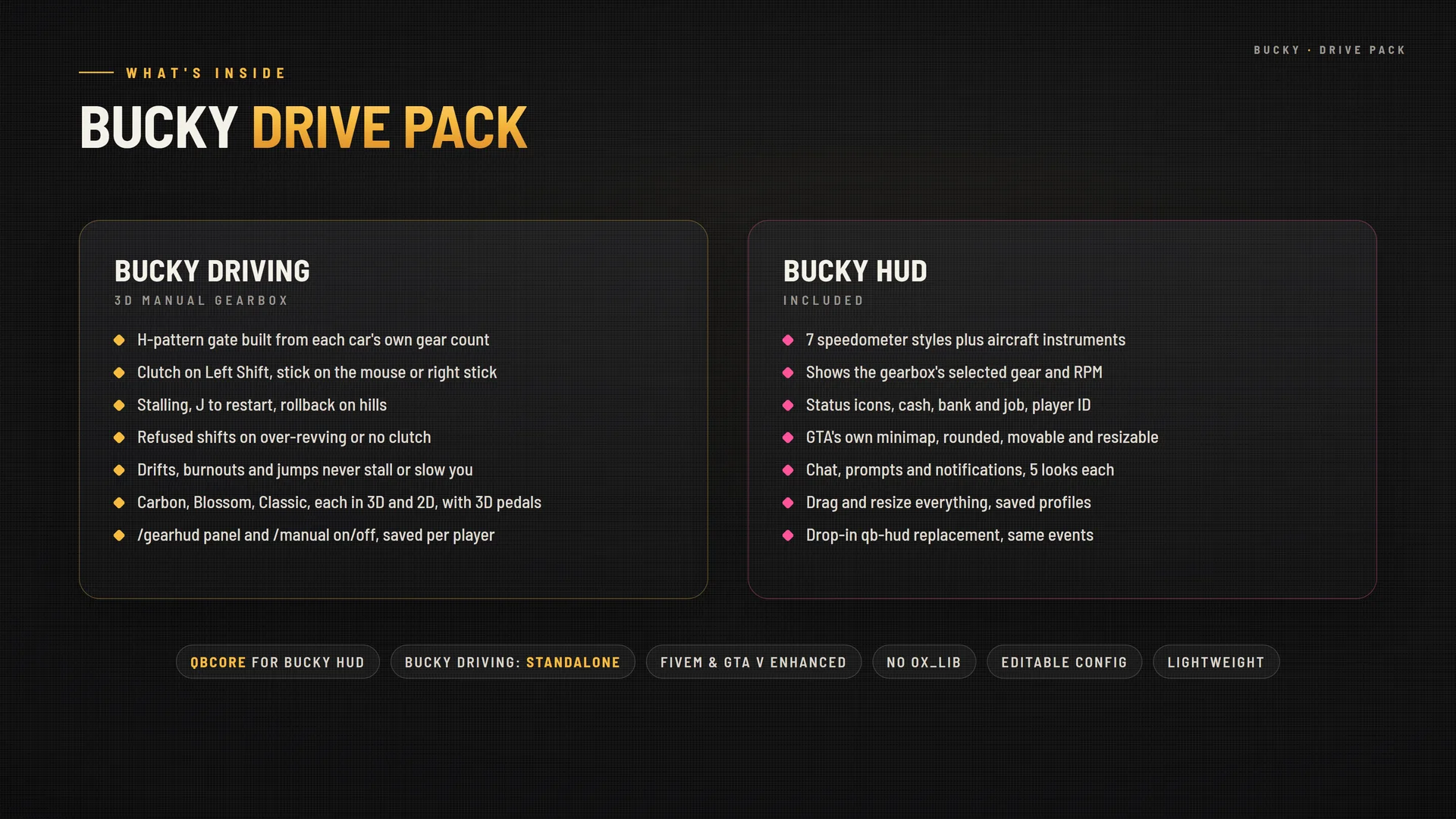
What's inside the Bucky Drive Pack: Bucky Driving and Bucky HUD feature lists
FAQ

Drive Pack questions

What's in the Bucky Drive Pack?

Two full resources: Bucky Driving, the 3D manual gearbox, and Bucky HUD, the speedometer, minimap, status and chat HUD. You get both in your Cfx.re Keymaster account with one purchase.

Do I have to set anything up to link them?

No. Add ensure bucky-hud and ensure bucky-driving and they find each other. The speedometer then shows your selected gear and the gearbox's RPM, and gearbox messages appear in the HUD's style.

Can I use only one of the two?

Yes. Each script works on its own. Bucky Driving needs no framework at all, and Bucky HUD runs on QBCore without the gearbox.

Does it replace qb-hud?

Yes. Bucky HUD uses the same events as qb-hud, so seatbelt, cruise, nitrous, harness, stress and money from your other scripts keep working.

Which vehicles use the manual gearbox?

Cars and motorbikes. EVs, boats, aircraft, bicycles and trains stay automatic, and any player can switch manual on or off with /manual.

Will it hurt performance?

Bucky HUD only sends values that changed and runs on timed updates rather than every frame. Bucky Driving runs entirely on the client, redraws its 3D only when something moves, and only runs its driving code while you drive a manual car.

Does it work on FiveM Enhanced?

Yes. It runs on both the classic FiveM build and FiveM Enhanced (the GTA V Enhanced edition of the platform).

How is it delivered?

After checkout the resource is added to the Cfx.re Keymaster account you signed in with. Download it from Keymaster and add it to your server like any other resource.

Is the code escrow protected?

The core is protected with Cfx.re Asset Escrow, so it can't be leaked or resold. The config files you need to tune it stay open and editable.